
We know the scenario: you have a research question, forty open tabs, and a deadline for your academic paper.
Should you use AI to optimize and simplify the research tasks? Yes! AI tools can be really useful for research when used correctly.
Which AI tool can you actually trust with a research paper? This is the point I aim to answer in this article.
I tried 10 AI tools for academic research to find tools that help researchers the most. This list shows what each one does well, what annoys me about each one, and how much each one costs.
✅ Quick Summary
In short, no single tool covers the whole job. Some work as AI research assistants that find and read academic papers; some help with literature reviews and related papers; and some check whether the answers are even true. The best tool for finding sources is rarely the best for academic writing, so I ranked these ten tools for researchers based on how well they support each stage of the research workflow.
How I Tested AI Academic Research Tools
I aimed to ask AI a research question and looked at five things:
- How accurate and traceable the sources are.
- How easy the interface is and whether you can ask follow-up questions.
- How generous the free plan is.
- The price.
I ran the free version of each AI research tool on one research topic with this prompt:
“Does spaced repetition improve long-term retention compared to massed practice? Give me the key studies with authors, year, and DOI.”
I adjusted the prompt for each tool, for example, using keywords for Litmaps, and checked whether the research articles it returned were real. For Elicit and Thesify Reviewer, which have no free trial, I relied on their published plans and features.
Comparison Table: Best AI Tools for Researchers
| Tool | Best for | Cost | Standout feature |
|---|---|---|---|
| GetSolved | Checking facts and sources | Free after sign-up, paid plans available | Flags unsupported claims |
| Gemini Notebook (NotebookLM) | Working with your own sources | Free | Source-based answers |
| Consensus | Papers plus follow-up questions | Free tier, paid plans | Suggested next topics |
| Research Rabbit | Saving and mapping sources | Free tier, $12.50/month for advanced | Interactive map and library |
| Connected Papers | Finding related papers | Free tier, paid plans | Visual paper graph |
| Semantic Scholar | Academic search with citations | Free | Ready-to-use citations |
| Litmaps | Literature mapping | Free tier, paid plans | Citation maps |
| Julius | Studies in table form | 100 free credits, $20/month Plus | Key studies table |
| Elicit | Comparing studies | No free trial, from $11/month | Structured extraction |
| Thesify Reviewer | Feedback on a finished draft | Paid only, about $29/month | Section-level review |
Top 10 AI Tools for Academic Research and Writing
1. GetSolved: Best for Checking Your Research Before You Rely on It
⭐ Best for: verifying claims, statistics, and sources.
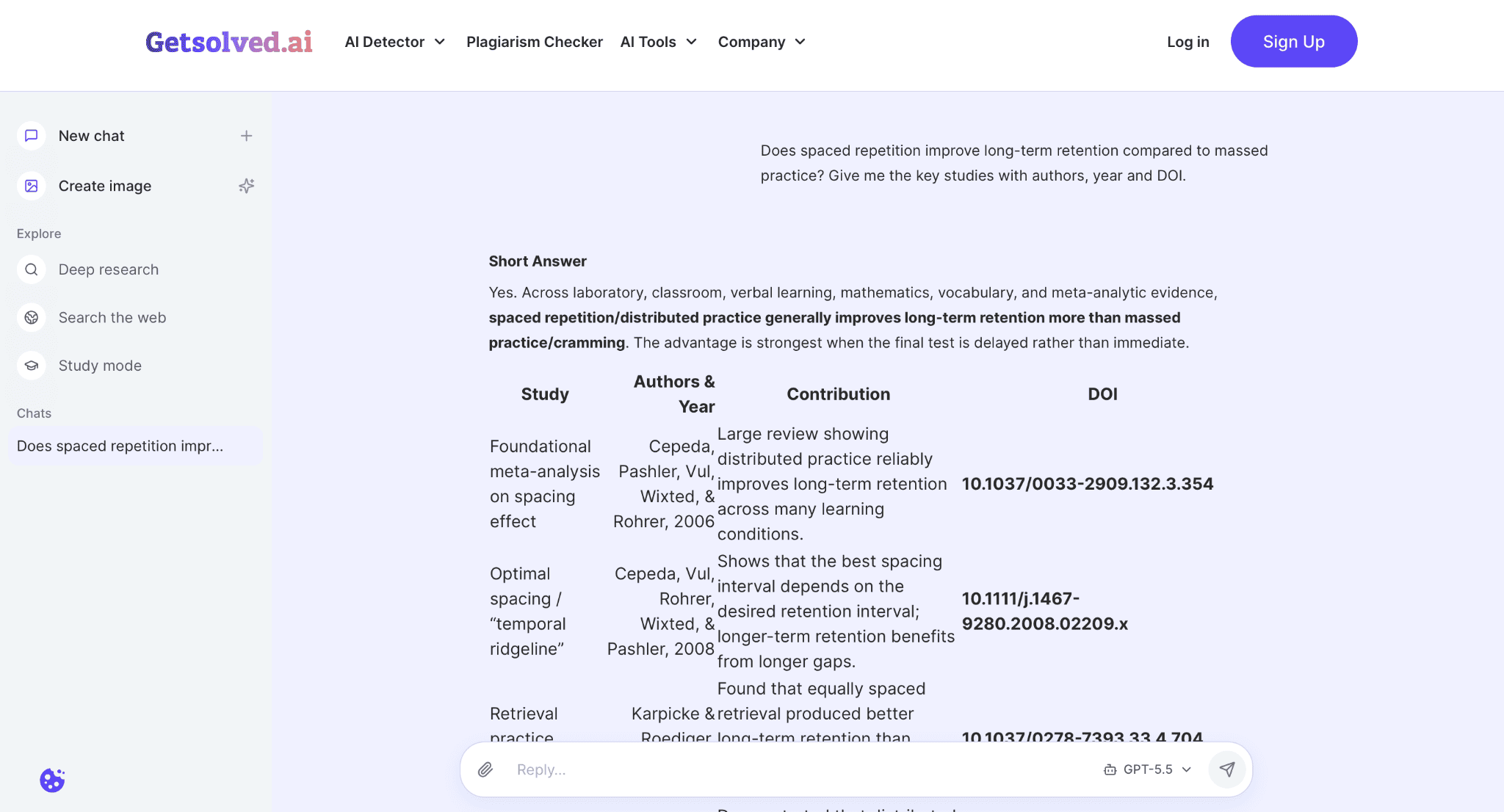
Most tools on this list help you find or read papers. But very few help you decide whether what you found is true, and that gap is where research quietly goes wrong. GetSolved is the one I would keep open in a second tab.
You paste text or upload a document, and the tool will fact-check research claims against online sources. GetSolved is actually a full writing toolkit, so it will always be necessary in your workflow.
Key features:
- Flags unsupported claims, contradictions, and outdated information.
- Shows suggested corrections next to each flagged statement.
- Works on full documents, not only single sentences.
- Answers any questions in short and easy formats.
👍 Pros: Short, clear results; free access after a quick sign-up; full toolkit.
👎 Cons: It verifies against online sources, so it does not replace reading the original paper.
2. Gemini Notebook (NotebookLM): Best AI Research Assistant for Your Own Sources
⭐ Best for: researching an entire topic in one digital notebook.
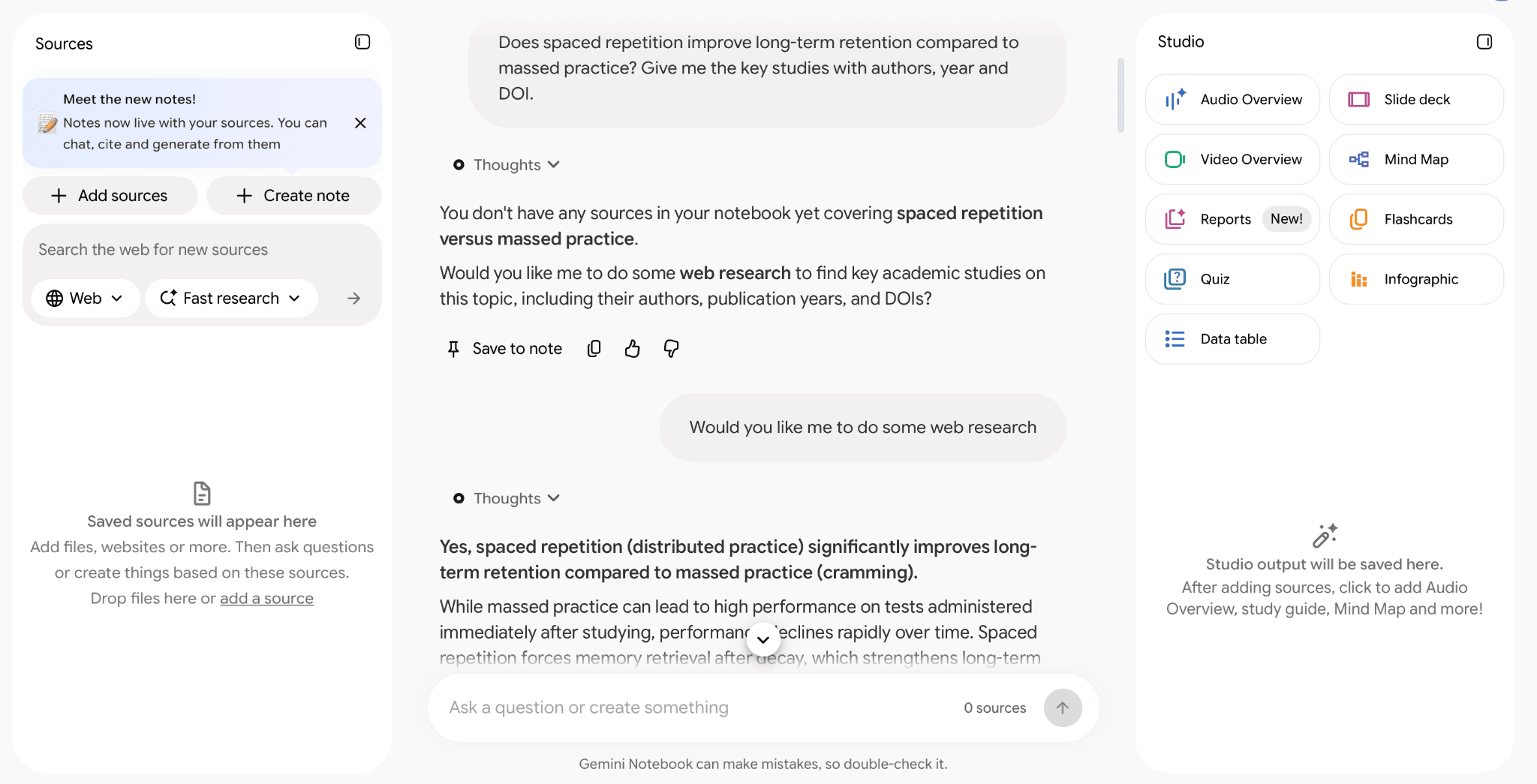
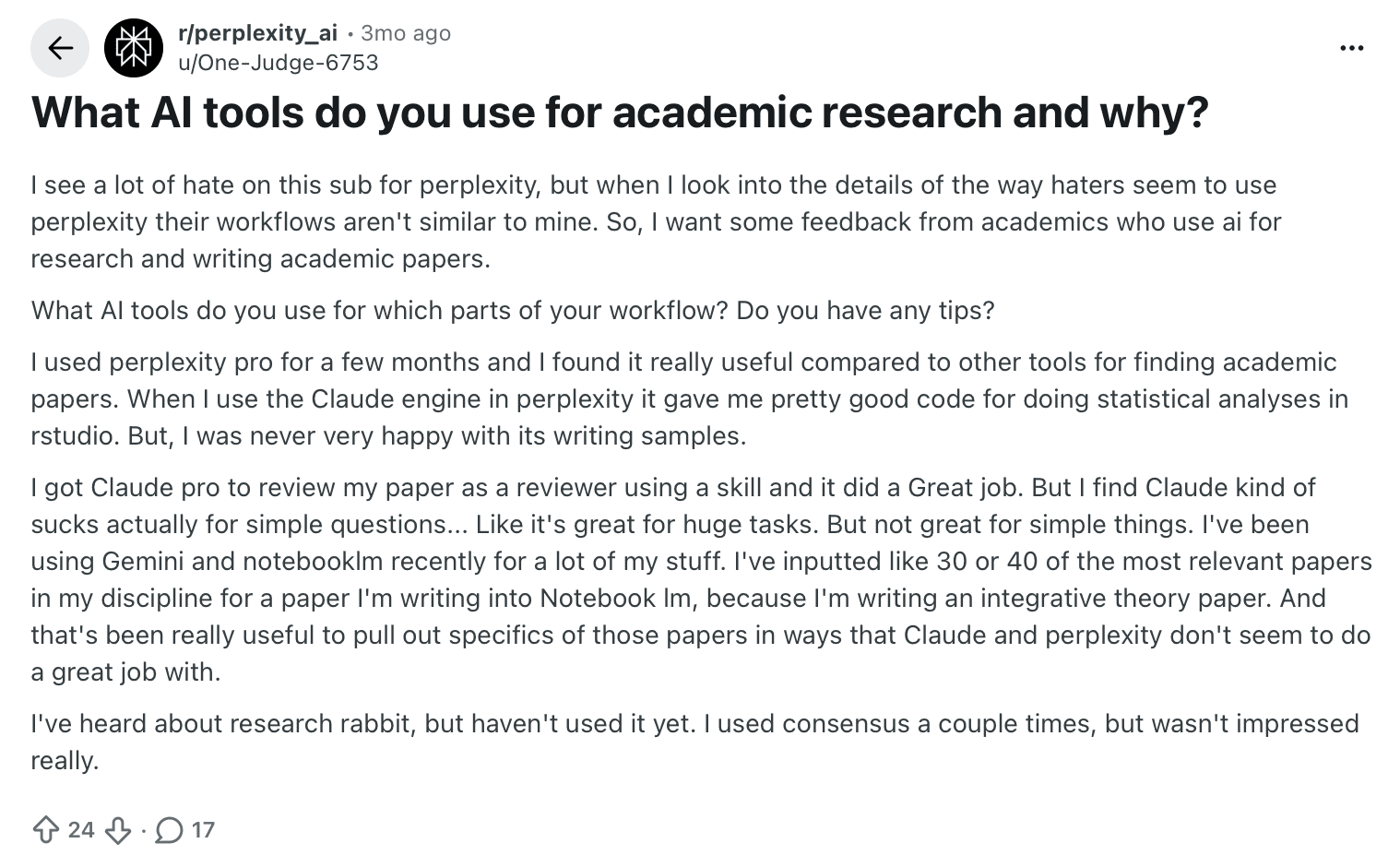
Google’s Gemini Notebook works like a notebook where you upload your research materials, and the AI generates answers only from those sources. One researcher on Reddit said that loading 30 to 40 relevant papers into it yielded more specific results than other chatbots, which matched my experience.
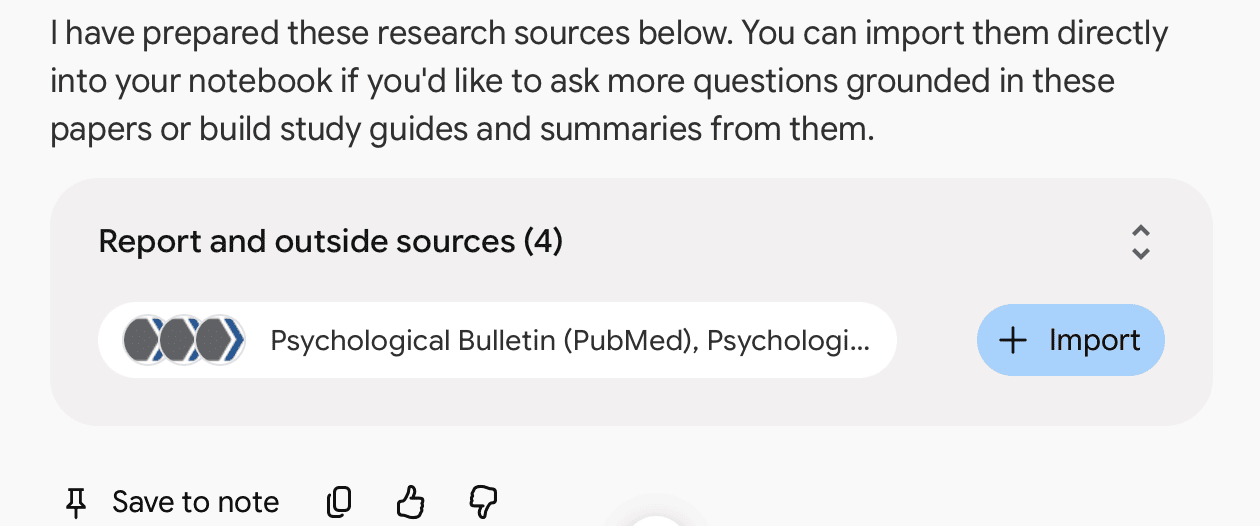
It can also run its own web-based research when you need it, and that worked pretty well. You can even summarize research papers in a similar way elsewhere if you prefer a lighter option.
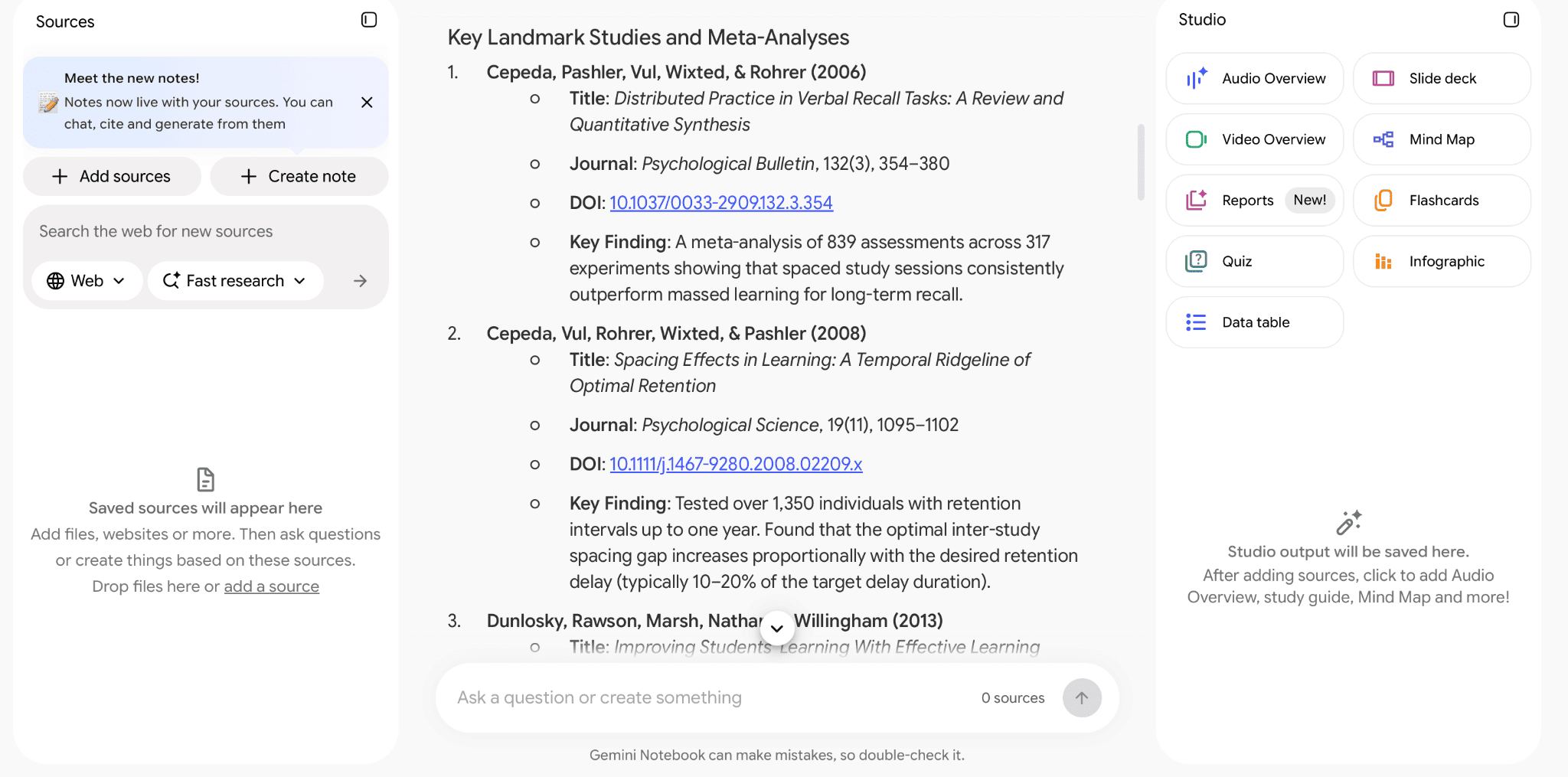
Key features:
- Answers based on the real sources you upload.
- Web research on demand.
- Suggests the next questions and topics to explore.
👍 Pros: Free, shows the sources behind each answer, and keeps your entire research in one place.
👎 Cons: It is only as good as the documents you give it.
3. Consensus: Best for Papers and Follow-Up Questions
⭐ Best for: answers to research questions backed by papers.
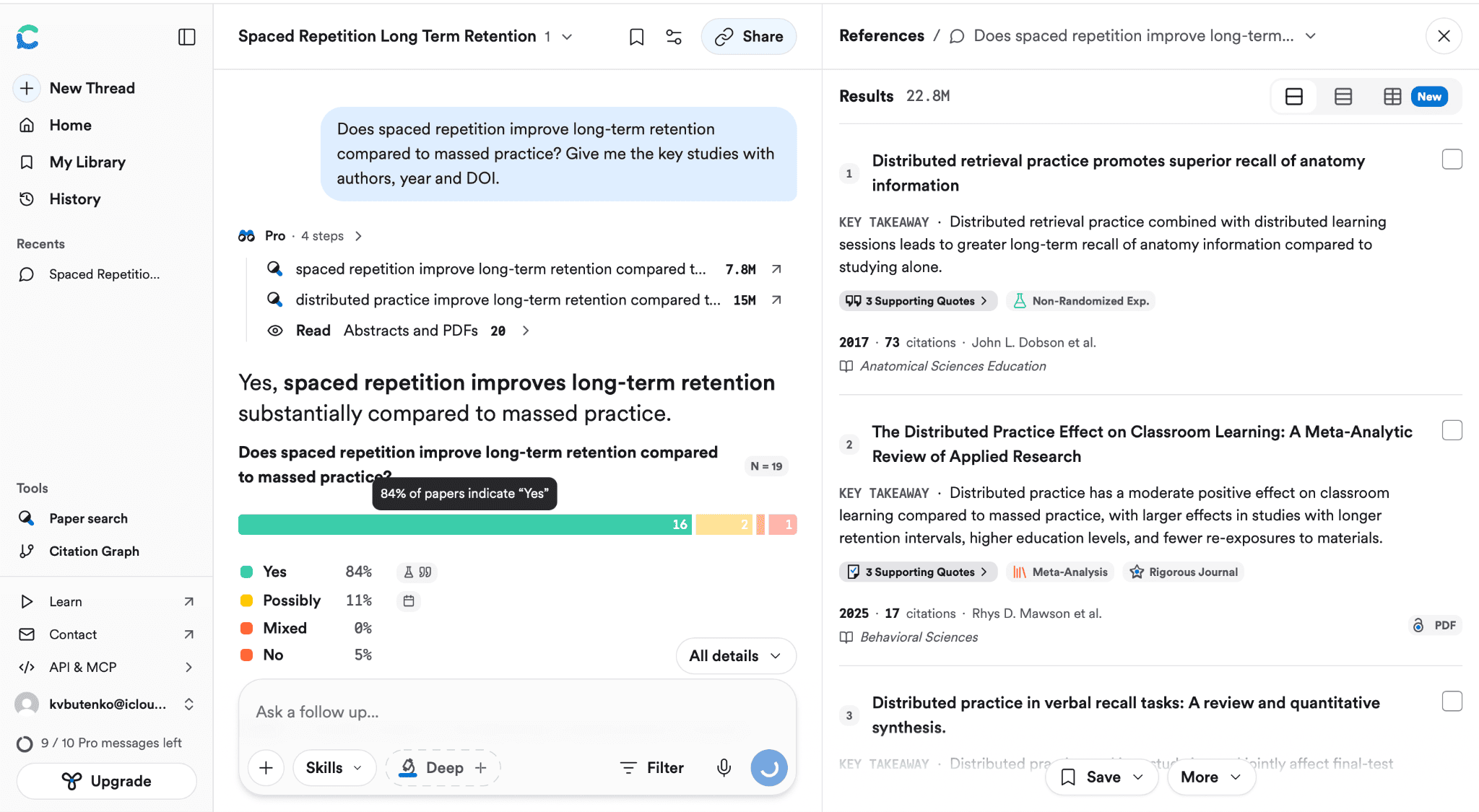
Consensus was a pleasant surprise. It gives you relevant papers and lets you ask follow-up questions, which most search-style tools skip. Reddit users are also happy with their experience with Consensus’s AI assistant.
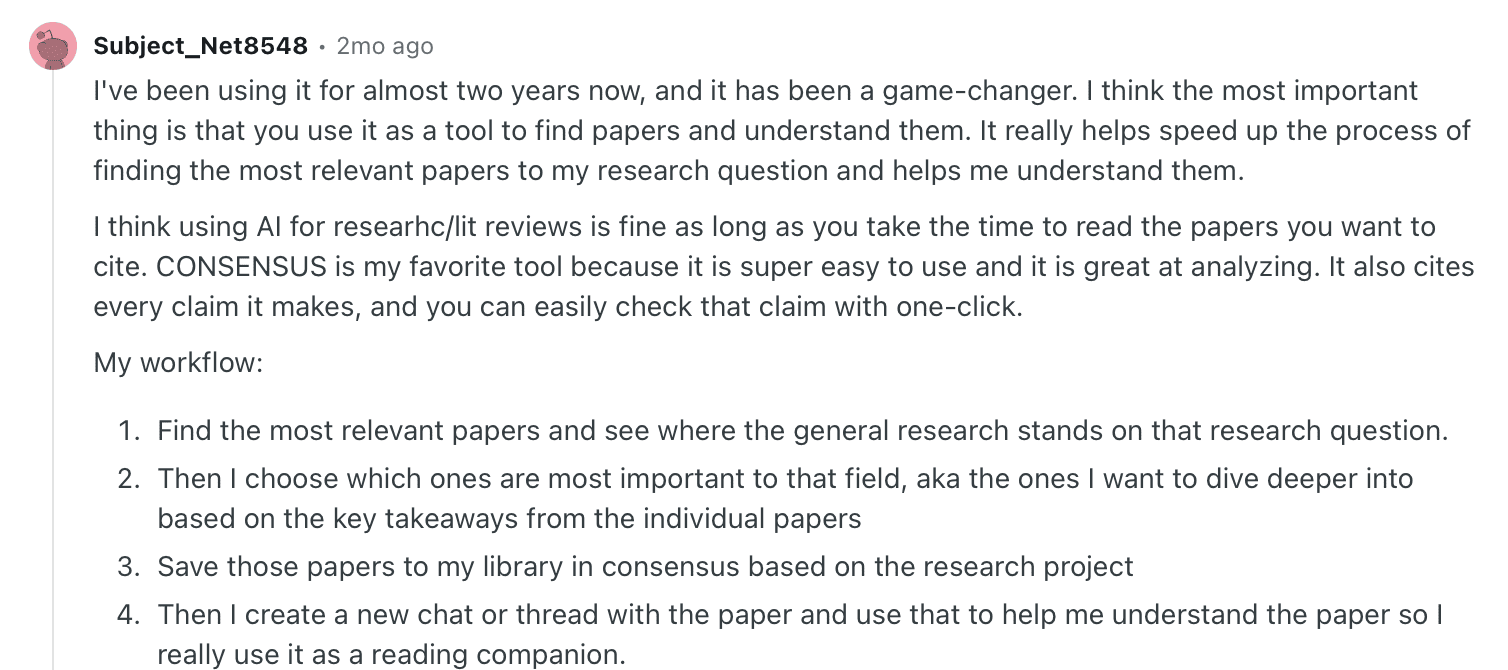
For me, the list of references and the suggested next topics made for a strong start to the literature review. If you want to find research sources to check against its answers, that pairing is worth trying.
Key features:
- Paper-based answers to a focused question.
- A reference list for each answer.
- Suggested topics to explore next.
👍 Pros: Easy to use and conversational.
👎 Cons: Free use has limits, so heavy users will hit them.
4. Research Rabbit: Best for Saving and Mapping Sources
⭐ Best for: building a research library and reading list.
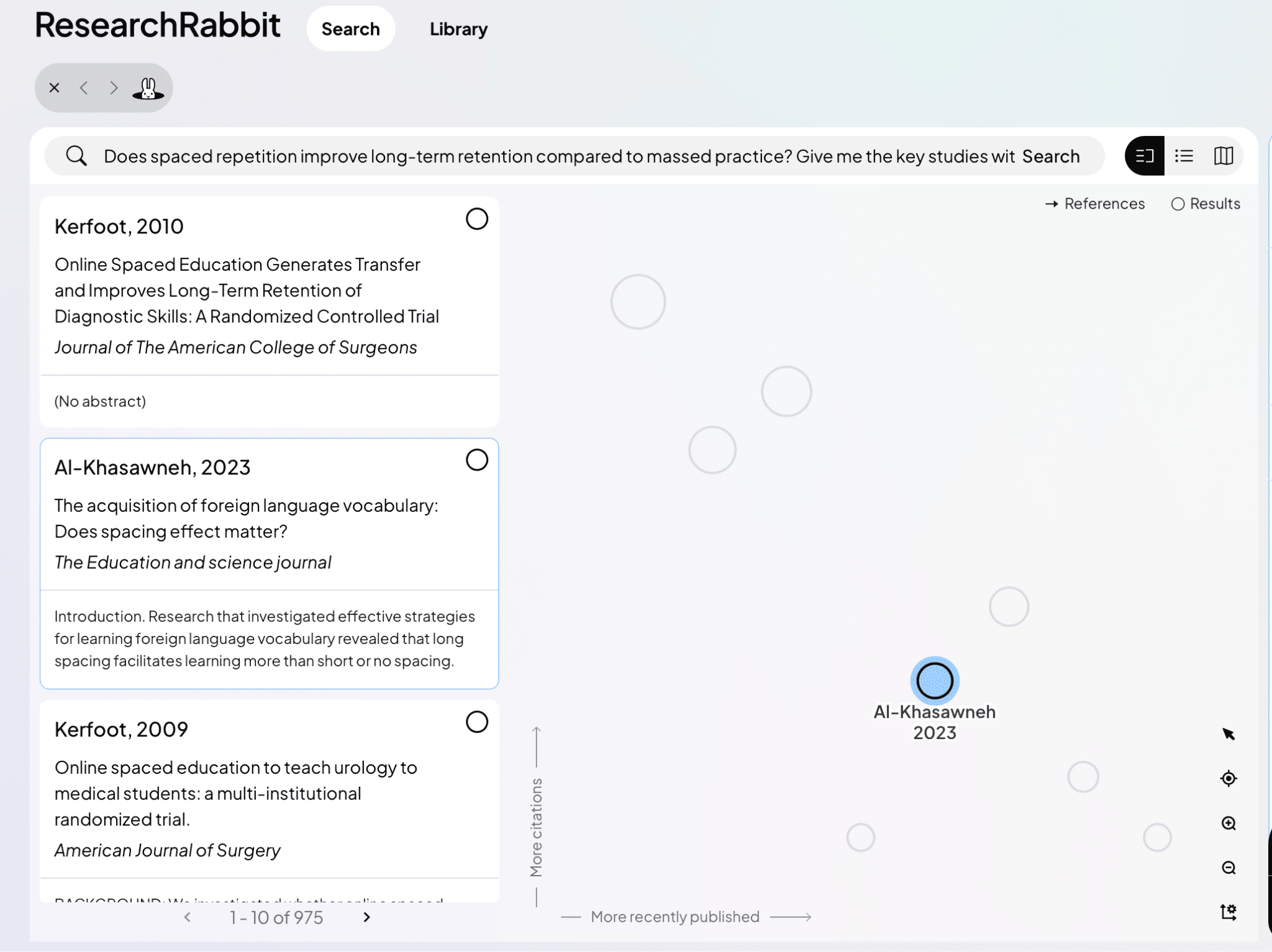
Research Rabbit has the nicest interface of the discovery tools. Pick a relevant article, and it shows related papers, then lets you build a library and reading list and view an interactive map of your sources.
Diving deeper into a single article requires the advanced features.
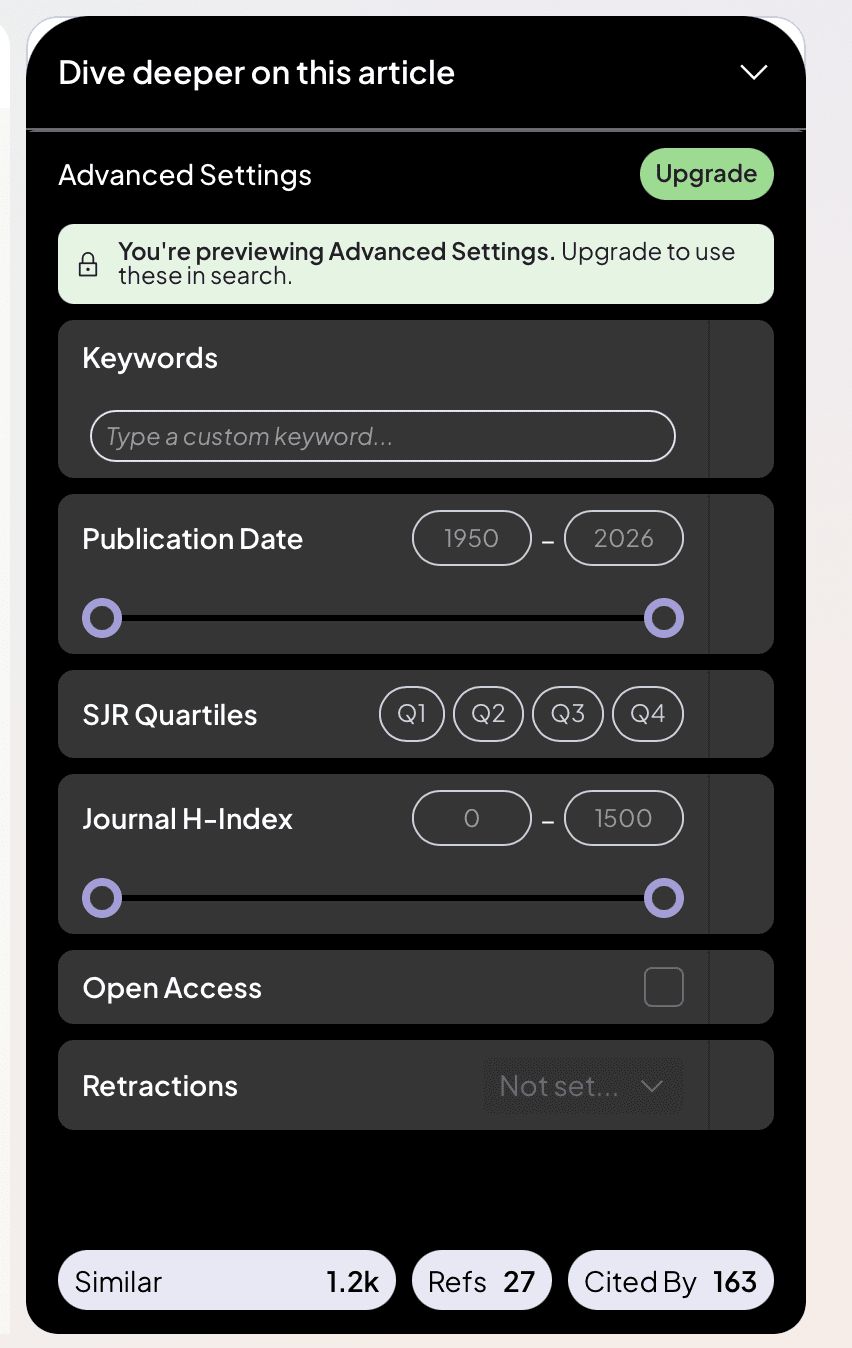
Compared with Connected Papers and Litmaps, the saved library is what I missed in both.
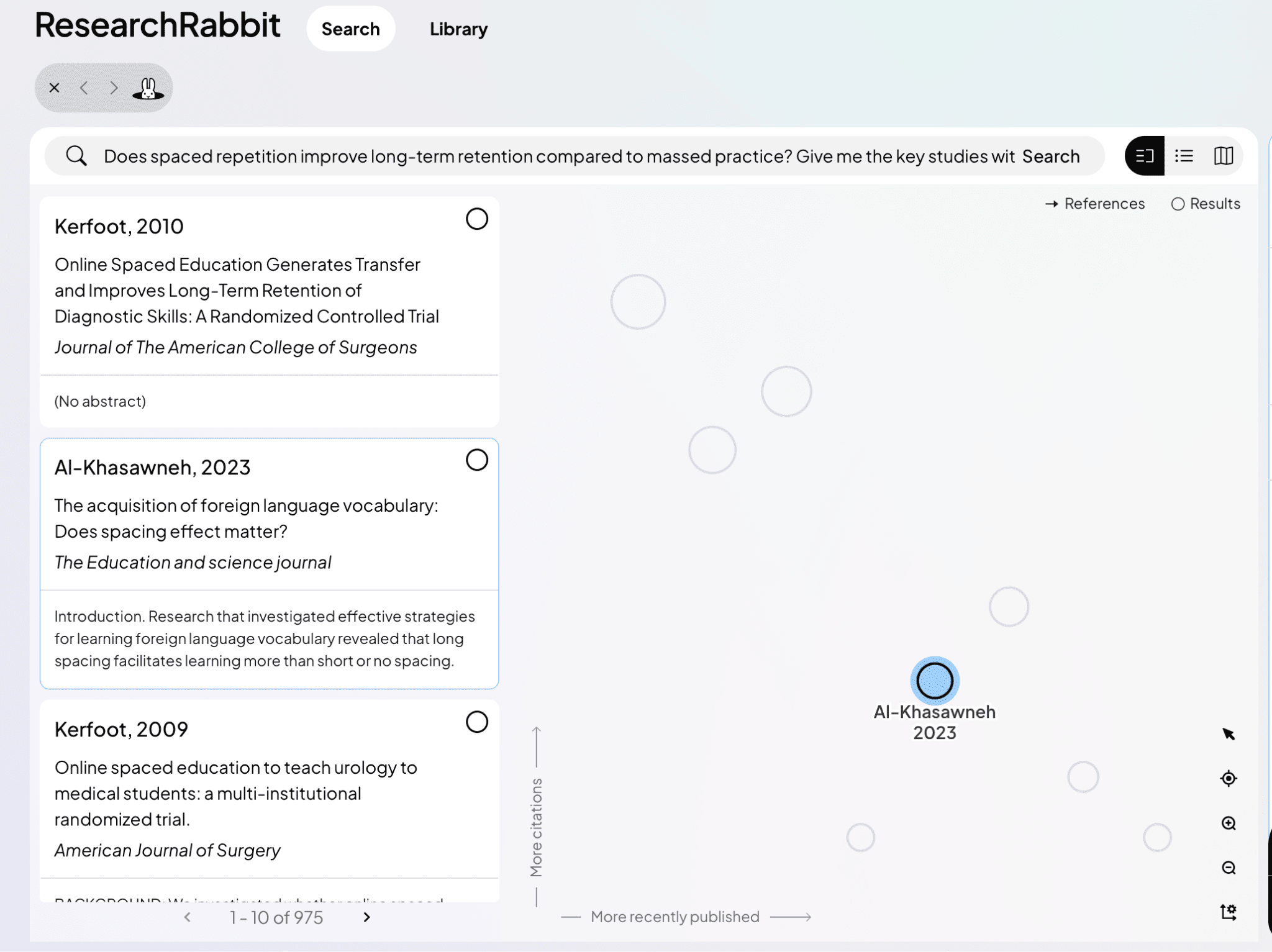
Key features:
- Interactive map of sources.
- Library and reading list.
- Recommendations from papers you choose.
👍 Pros: Great interface; keeps everything in one place.
👎 Cons: Deeper research needs the paid plan.
Pricing: $12.50 per month, which is worth it if you use it a lot.
5. Connected Papers: Best for Finding Related Papers Visually
⭐ Best for exploring a field from a single seed paper.
You enter one paper, and Connected Papers builds a visual graph of related papers grouped by similarity, so you can see the neighborhood of a topic at a glance. It is good for finding relevant papers quickly. Keep in mind that it is not an AI chat: you cannot ask it questions.
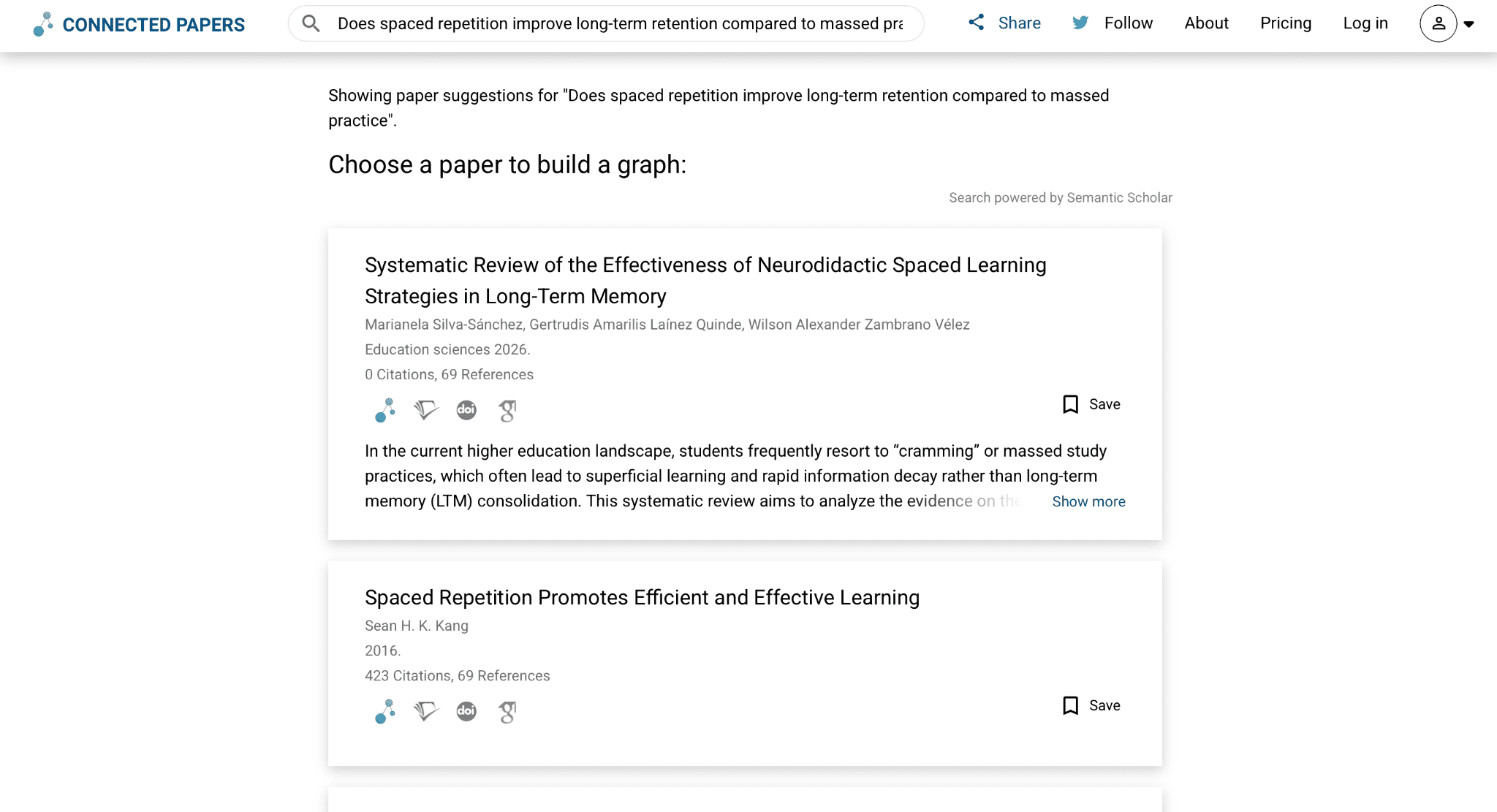
Key features:
- Similar and related work is grouped together.
- Quick overview of a field.
👍 Pros: Fast and simple.
👎 Cons: No AI, no follow-up questions.
6. Semantic Scholar: Best Academic Search Engine With Instant Citations
⭐ Best for: finding articles and grabbing citations.
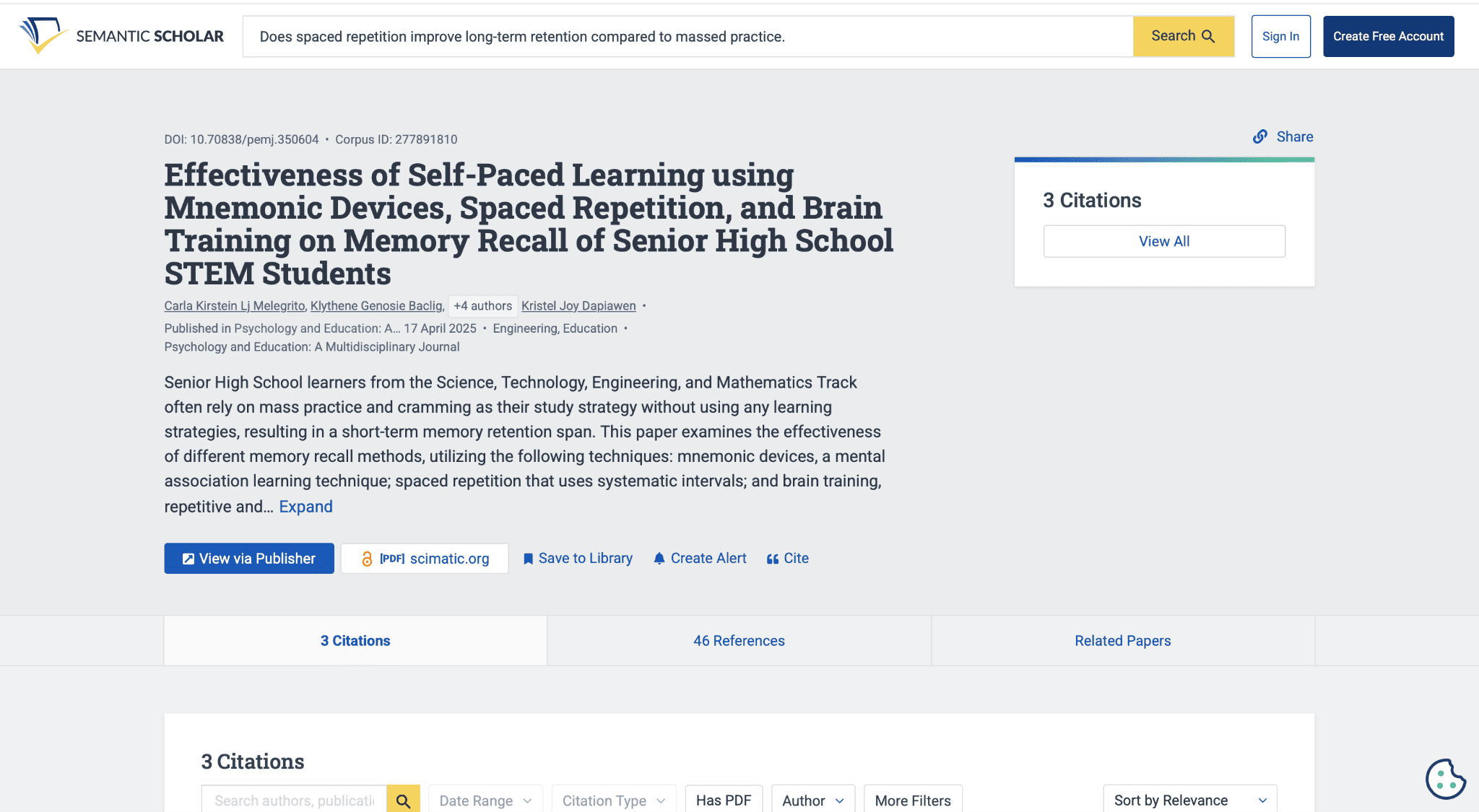
Semantic Scholar works much like Connected Papers by searching for sources, but I found its interface better, and it provides citations right away. Once you have them, a citation checker helps confirm every reference is formatted and real.
Key features:
- Search across thousands of research papers.
- Citations ready to copy.
- Filters for narrowing results.
👍 Pros: Free and clean.
👎 Cons: Search only, with no AI answers.
7. Litmaps: Best for Literature Mapping
⭐ Best for: tracing how papers connect over time.
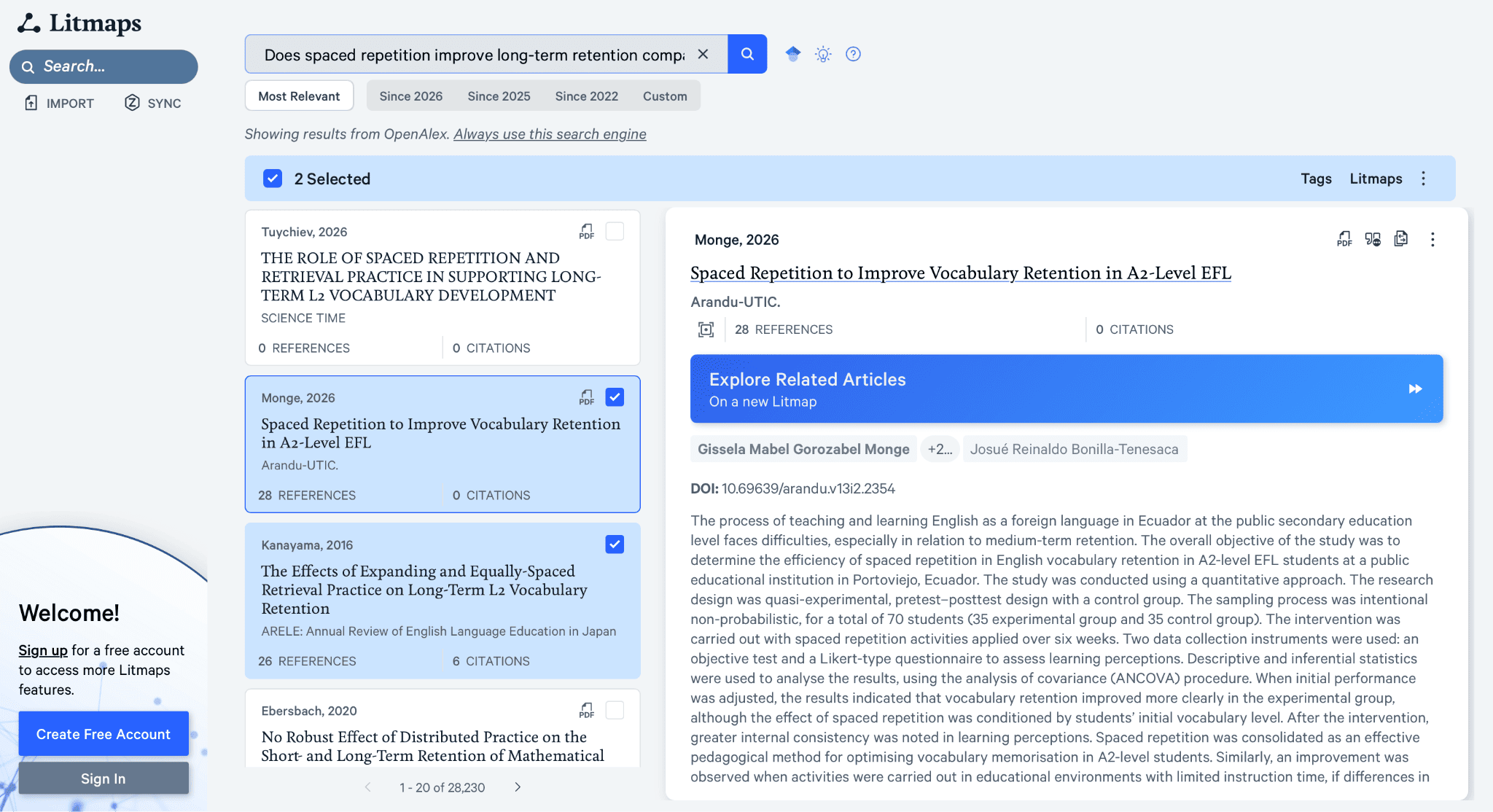
Litmaps builds a map of how papers cite each other. The interface feels a little outdated, and you should use keywords rather than AI prompts. It behaves more like Google Scholar than a chatbot, and it takes a long time to process. You cannot ask follow-up questions, so use it to collect sources and study them elsewhere, for example, in Gemini Notebook or GetSolved.
Key features:
- Citation maps of a topic.
- Keyword-based source discovery.
- Visual literature mapping.
👍 Pros: Useful for seeing how a field developed.
👎 Cons: Slow, dated, no follow-up questions.
8. Julius: Best for Key Studies in a Table
⭐ Best for: data-heavy questions and meta-analysis.
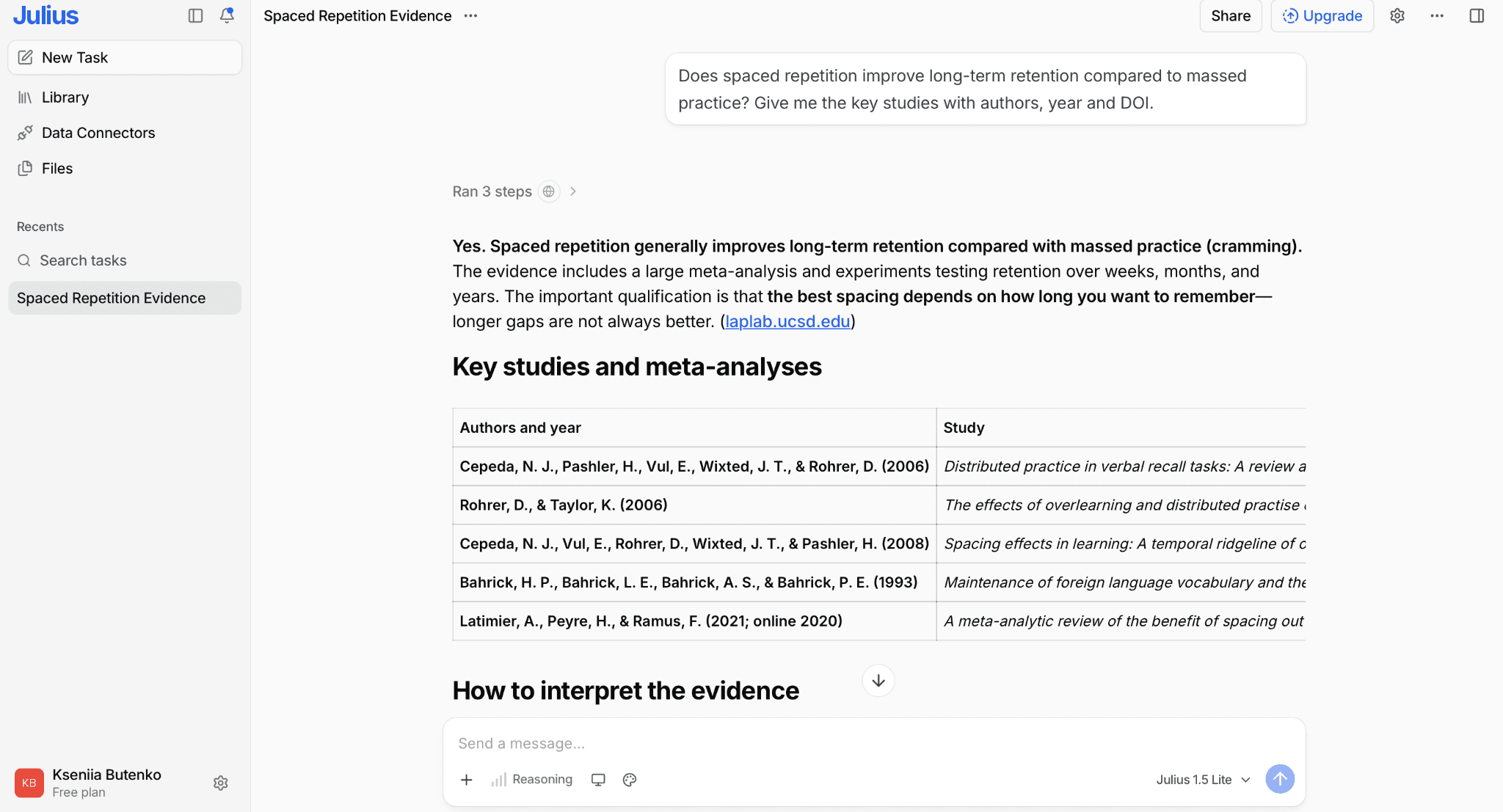
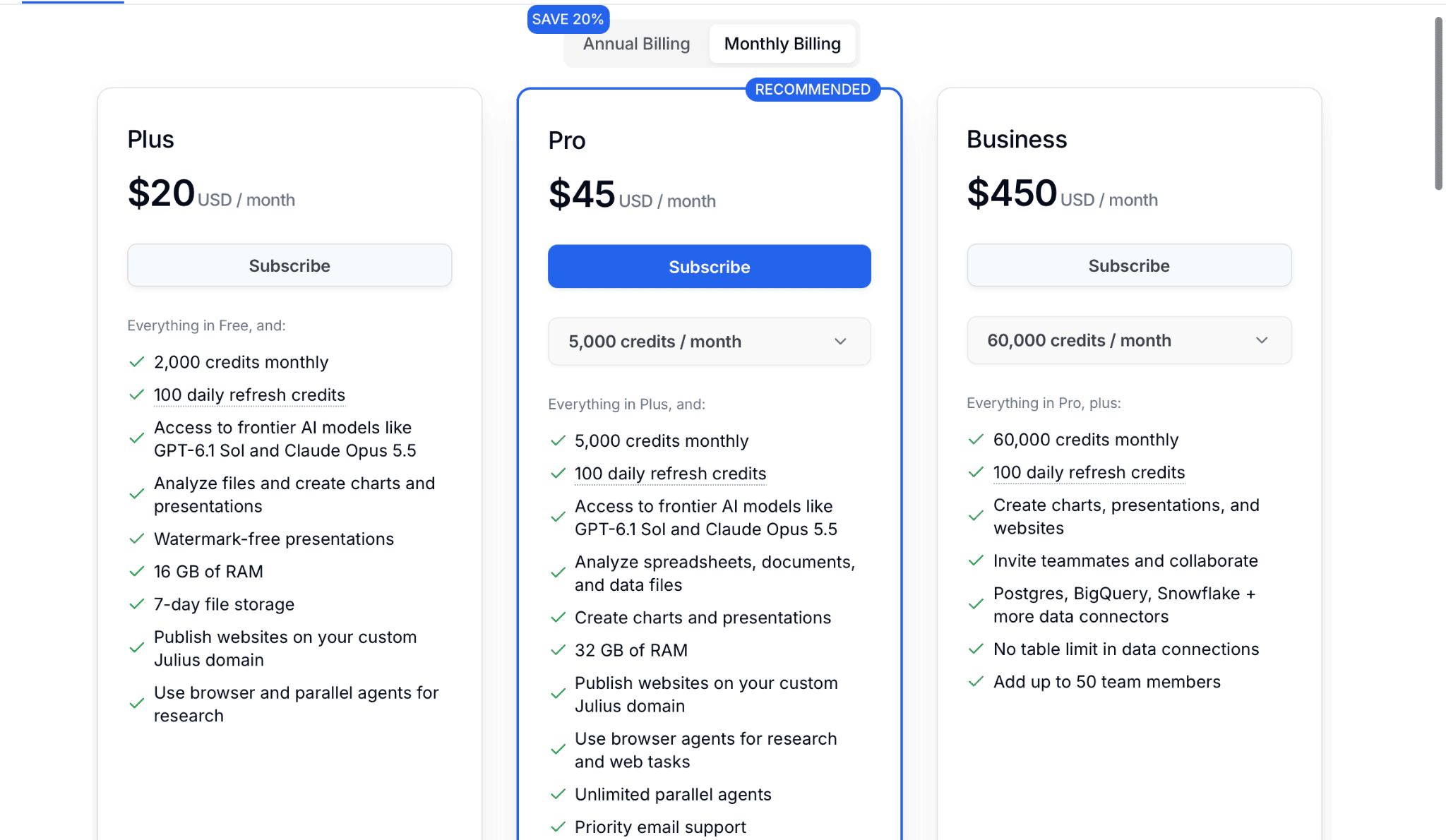
Julius has several modes, but the free trial gives you only 100 credits, which is about one question.
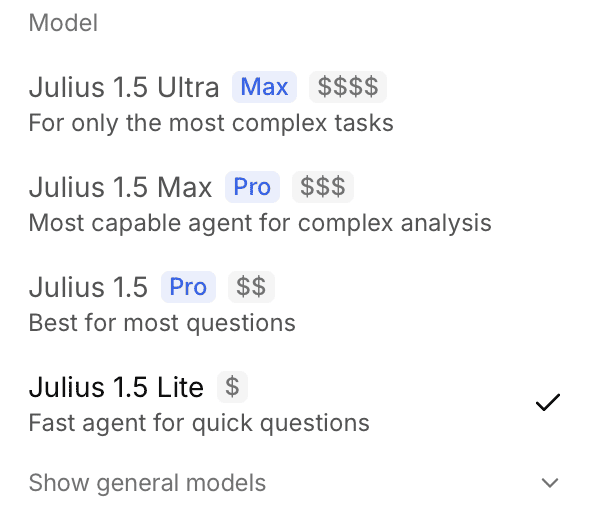
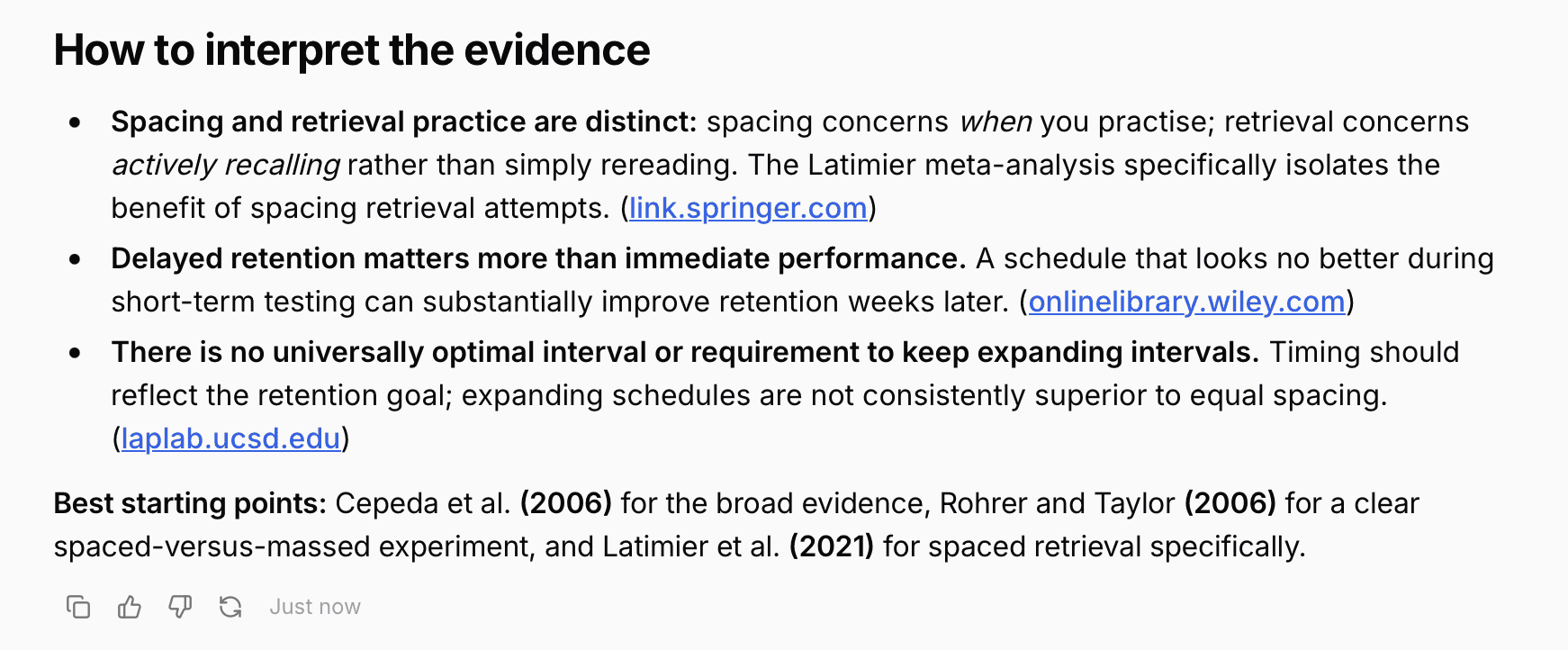
My answer came with just three sources and was fairly short. The plus was a table of key studies and a meta-analysis. The cost is acceptable at $20/month for Plus and $45/month for Pro, similar to other tools, but I would pick a tool with a more generous free trial first.
Key features:
- Multiple modes.
- Table of key studies and meta-analyses.
- Charts from your data.
👍 Pros: Clear tables.
👎 Cons: Tiny free trial, few sources.
📌 Expert tip: AI answers can sound confident and still be wrong. I recommend doing a bit of research yourself first, so you know the tool did not miss the obvious. For anything you plan to cite, run it through an AI hallucination detector.
9. Elicit: Best for Comparing Studies
⭐ Best for: literature reviews with many papers.
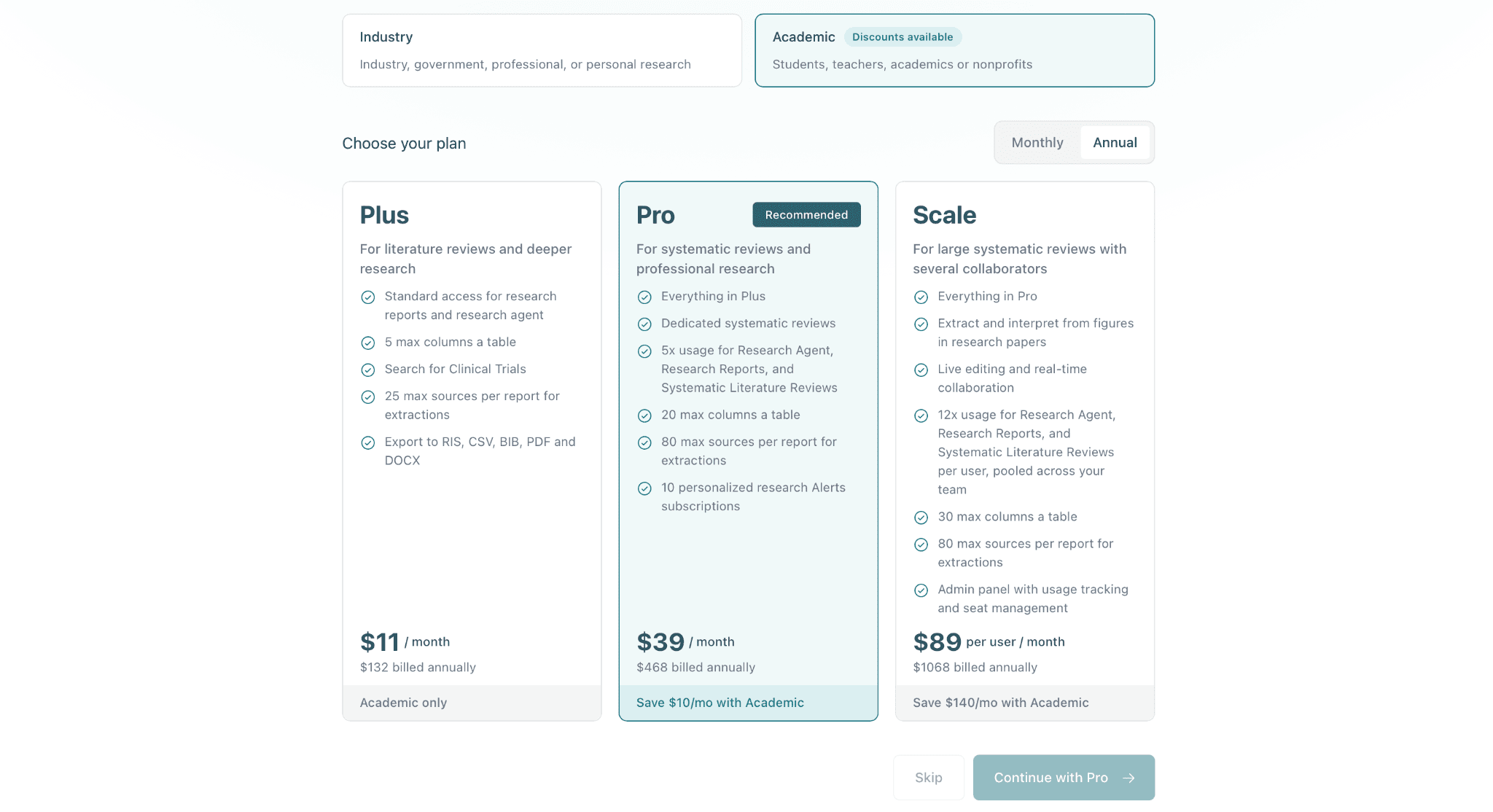 Elicit is designed to extract methods, variables, and findings from multiple papers into a comparison table and can generate research reports. I have not paid for it, so this entry rests on its published features and pricing. It has no free trial, which is the main drawback. Plus starts at $11 per month, and the expanded Pro plan costs $39 per month.
Key features:
- Structured extraction tables.
- Automated research reports.
- Paper discovery and summaries.
👍 Pros: Strong for systematic comparison.
👎 Cons: No free trial.
10. Thesify Reviewer: Best for Feedback on a Finished Draft
⭐ Best for: academic writing feedback before submission.
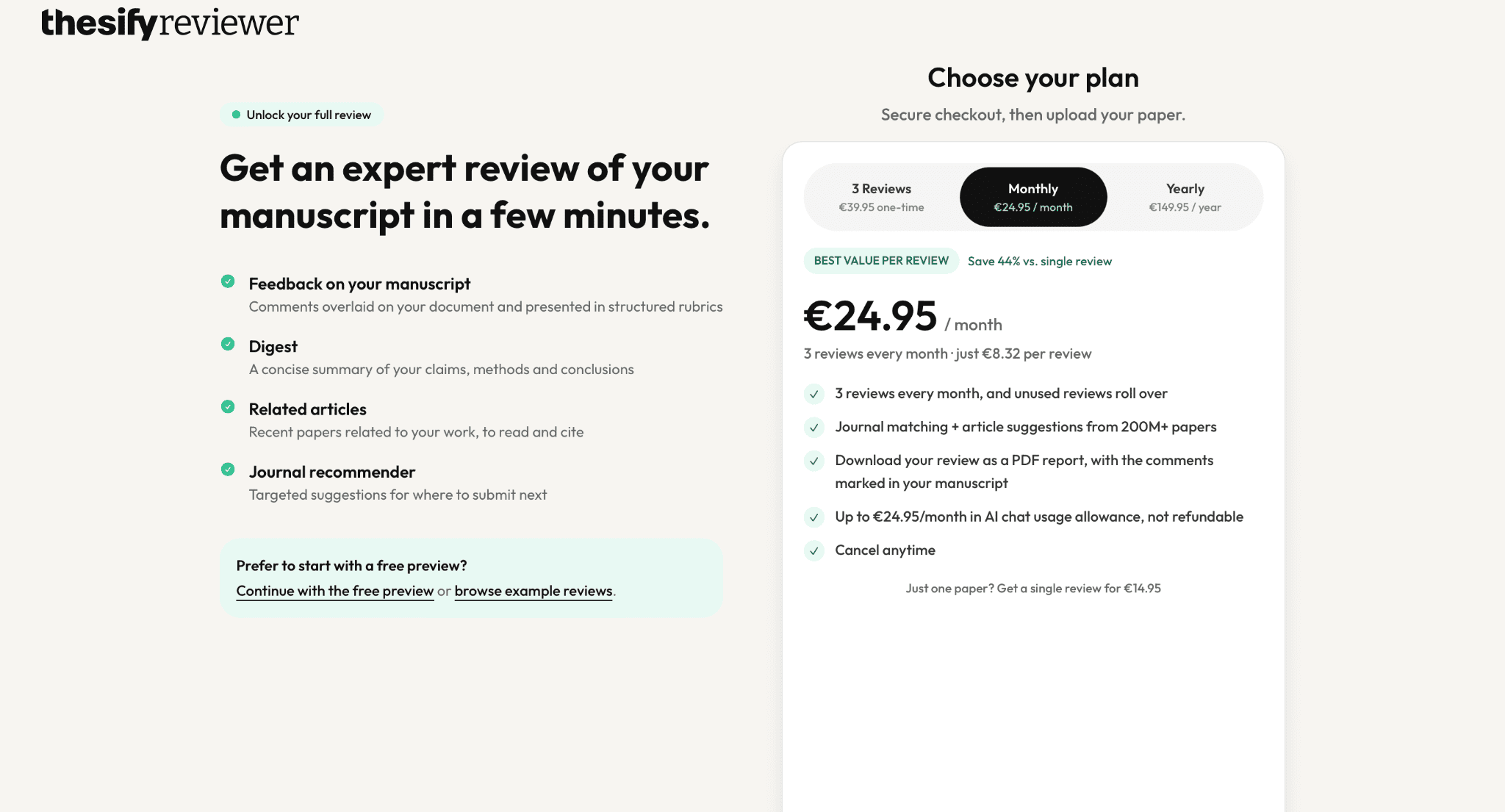
Thesify Reviewer works the other way round. You upload a research paper or draft, and it reviews the argument, methodology, and evidence section by section, much as a peer reviewer would. It does a pretty deep job.
There are only paid plans: three reviews cost about $46 (€39.95), and the monthly plan is about $29 (€24.95). That is a lot for a regular student, and a plagiarism checker plus free tools cover part of the same ground.
Key features:
- Section-level feedback.
- Argument and evidence checks.
- Chat to plan revisions.
👍 Pros: Deep feedback.
👎 Cons: Expensive.
Best AI Tools for Academic Research by Use Case
- Best free option: Gemini Notebook.
- Best for fact-checking: GetSolved.
- Best for follow-up questions: Consensus.
- Best for saving sources: Research Rabbit.
- Best for finding papers without AI: Semantic Scholar or Connected Papers.
- Best for draft feedback: Thesify Reviewer.
Final Verdict on Best AI Tools for Research Process
I will be completely honest: the right combination of tools beats any single pick. No AI tool I tested handles the whole academic research workflow. Brainstorming research ideas, finding materials as in traditional research, reading them, and checking them are three different tasks. Different tools excel in different areas.
Here is the workflow I would actually use for AI-powered research:
- Start with Consensus or Research Rabbit to search research databases and find relevant research papers.
- Add Semantic Scholar when you want a quick citation, and Connected Papers or Litmaps to see related papers around your topic.
- Then move your best sources into Gemini Notebook, where you can ask a research question and get answers based on real sources.
- Finally, verify your key claims with GetSolved before you start your research writing.
Using AI in academic research can be helpful and effective. After all, they were purpose-built for academic work, so you may only benefit from AI tools’ help. Just use them correctly and be aware of AI usage rules in academia. But be sure that you are safe with the digital tools on this list!
FAQ
What is the best AI for academic research? There is no single winner. Gemini Notebook is the best free option for working with your own sources, and GetSolved is the one I would add to fact-check.
Can I use AI for literature reviews? Yes, for finding and organizing sources. Always read the original paper and disclose AI use as required by your institution.
Are free AI research tools enough? For most students, yes. Gemini Notebook, Semantic Scholar, and Consensus cover a lot at no cost.