


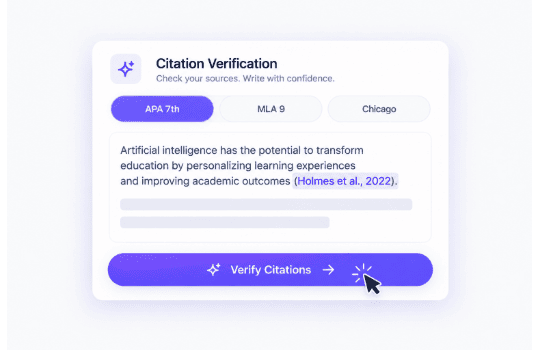


Verify Every Citation Instantly
Paste your citations and get the results right away. Our citation verifier returns a confidence score for each pasted citation, so you know exactly what to double-check.

Follow these three simple steps to see how this tool verifies references list from start to finish.
Paste your full list of citations, including in-text citations if you have them, or upload a document directly. A rough list is enough to start.
Select the style your citations follow — APA, MLA, Chicago style, or Harvard. This helps the checker interpret each entry correctly and check that everything is properly formatted.
You get your confidence score! Review the results and check whether you agree with the suggested corrections. Fix or replace anything in your citations that was highlighted by the tool. Your sources are ready!
See how our citation verification tool helps you audit references, eliminate bad data, and publish every project with total source confidence:
Paste your citations and get the results right away. Our citation verifier returns a confidence score for each pasted citation, so you know exactly what to double-check.

GetSolved flags citations that don't match any real record, so you can spot invented or hallucinated references before they slip through unnoticed.

This tool checks the accuracy of your citation. It compares author names, years, and journal titles against the original record to catch even the smallest errors.
GetSolved’s citation checker searches across major reference databases at once, so you can verify your citations all at once, instead of checking each source by hand.

Upload your document as DOC, DOCX, TXT, PDF, ODT, RTF, or HTML — GetSolved supports all these file formats. You can also simply copy/paste the sources in the input box.

With GetSolved’s citation verifier, you know which citations are properly formatted and which need a second look! After checking, you can remove questionable citations from your final draft.
Get confidence in your content. Fast AI detection, smart grammar checks, and instant improvements in one place.
97.4% Positive Reviews
4.6 out of 5
Pricing


Yes, you can verify citations without paying anything to get started.
No! GetSolved runs entirely in your browser. Unlike traditional reference management software, there is nothing to download, install, or manage — just paste your citations and verify them instantly.
APA, MLA, Chicago style, and Harvard are all supported, so the format you're already using works without extra setup.
Yes, that's exactly what this citation verifier is built for. It flags citations that don't match any real record, including ones invented by AI writing tools.
Our tool checks both! Paste a single in-text citation or a complete list, and the tool checks both.
No, your citations aren't stored after verification is complete, so early drafts and quick tests stay private.
Every citation gets a confidence score based on how closely it matches the original record, so you know exactly which entries need a second look.
GetSolved supports multiple file types: DOC, DOCX, TXT, PDF, ODT, RTF, and HTML. Or you can paste your references straight into the box.

