
I’ve spent the last few months running AI-generated drafts through every AI text humanizer tool I could get my hands on. My goal was to check what actually holds up against Turnitin and GPTZero, and what just scrambles a paragraph until it’s unreadable. If you’re trying to figure out which tool is worth your time and money – this is the list I wish I’d had before I started testing.
An AI humanizer overall takes text written by ChatGPT, Gemini, Claude, or another model and rewrites it so it reads as if a person wrote it. This tool usually smooths out the repetitive sentence structure and predictable phrasing that AI detection tools flag. Some are designed to bypass a specific detector. Others are designed to actually improve your writing.
Below is my honest breakdown of which is which.
How I Tested These Humanizer Tools
I ran the same set of AI-generated passages, blog content, academic paragraphs, and a few marketing samples through each tool. Then I would check the output against Grammarly, QuillBot, GPTZero, and Originality.ai. I scored every entry on detection bypass, how much they preserve the original meaning and readability, and whether the price is relative to what you actually get in the free tool or entry tier.
Best AI Humanizer Tools at a Glance
Here is a quick snapshot of the tools I tested so you can compare their standout features at a glance.
| Tool | Best for | Starting price | Free option |
|---|---|---|---|
| GetSolved AI Humanizer | Preserving your original meaning | $19.99/mo | Yes |
| Walter Writes AI | Long-form and agency volume | $8-26/mo | Limited demo |
| Undetectable AI | Highest raw bypass rate | ~$9.99/mo | Limited demo |
| StealthWriter | Transparent sentence-level edits | ~$20/mo | Yes, sign-up required |
| QuillBot Humanizer | Suite users who already paraphrase | ~$4.17/mo | Yes |
| WriteHuman | Budget mid-range pick | $12/mo | Yes |
| Humbot | Quick, low-cost rewrites | ~$7.99/mo | Yes |
| HIX Bypass | Broader AI writing workflow | ~$9.99/mo | Yes |
| BypassGPT | Free tier for occasional use | ~$8/mo | Yes |
| Phrasly | Unlimited-run budget plan | ~$10.99/mo | Yes |
| GPTHuman.ai | Blog posts and articles | $8.25/mo | Limited demo |
| Grammarly Humanizer | Rewriting in your own voice | Free plan available, pro starts at $12/mo | Yes |
1. GetSolved AI Humanizer — Best for Preserving Your Original Meaning
I put this one first because it’s the tool I go back to when I actually care about the argument surviving the rewrite, not just the AI score dropping. The GetSolved AI Humanizer pairs the rewriter with a built-in AI detector, so you can check a draft, humanize it, and confirm the fix worked without switching tabs. I would say that it is also the one that makes any text sound more natural.
Key features:
- Sentence-level AI detection paired with the humanizer in one dashboard.
- Tone and meaning preservation settings, so your voice doesn’t flatten out.
- Built-in paraphraser, grammar checker, and fact checker in the same plan.
💚 What I liked: it doesn’t chase detector scores at the expense of the actual writing. When I need to reword AI-assisted text without losing my point, this one consistently preserves my claims.
👍 Pros: strong meaning retention, clear sentence-level flags, useful for both marketing and academic-adjacent writing.
👎 Cons: the free tier limits you to shorter passages, so heavier workflows require the paid plan.
💰 Pricing: plans start at $19.99/month, with a free trial for shorter texts.
2. Walter Writes AI — Best to Humanize for Long-Form and Agency Volume
I noticed Walter Writes has repositioned itself upmarket over the past year. If you’re managing an agency or pushing serious volume, this is the one I’d put on your shortlist. If you’re comparing the best AI tools for writing at scale, this one belongs on your shortlist.
Key features:
- Voice-matching mode that adapts to a sample of your own writing.
- Volume-based pricing tiers scale into the millions of words.
- Combined humanizer, detector, and authenticity-score toolkit.
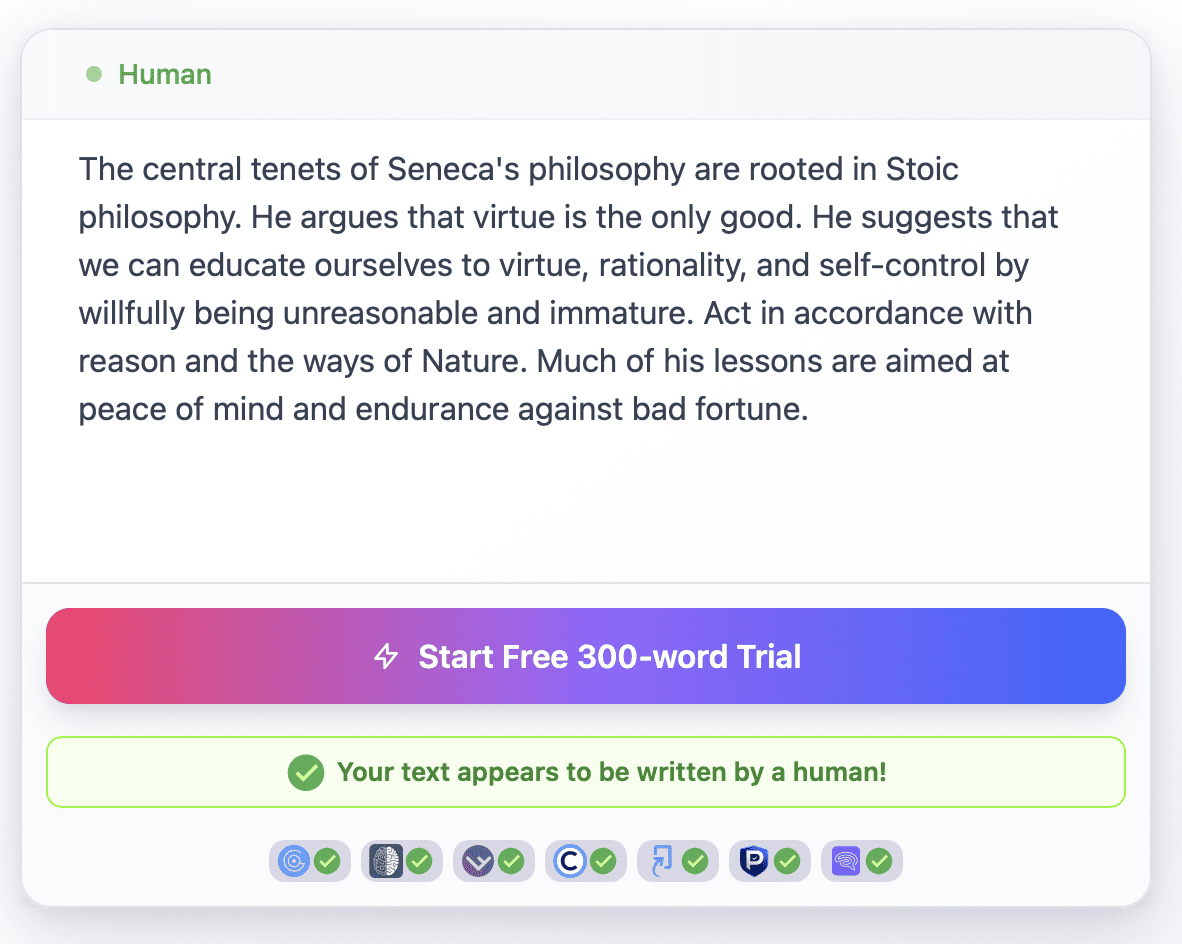
👍 Pros: genuinely interesting voice-matching approach, readable output on general content, built for bulk operations.
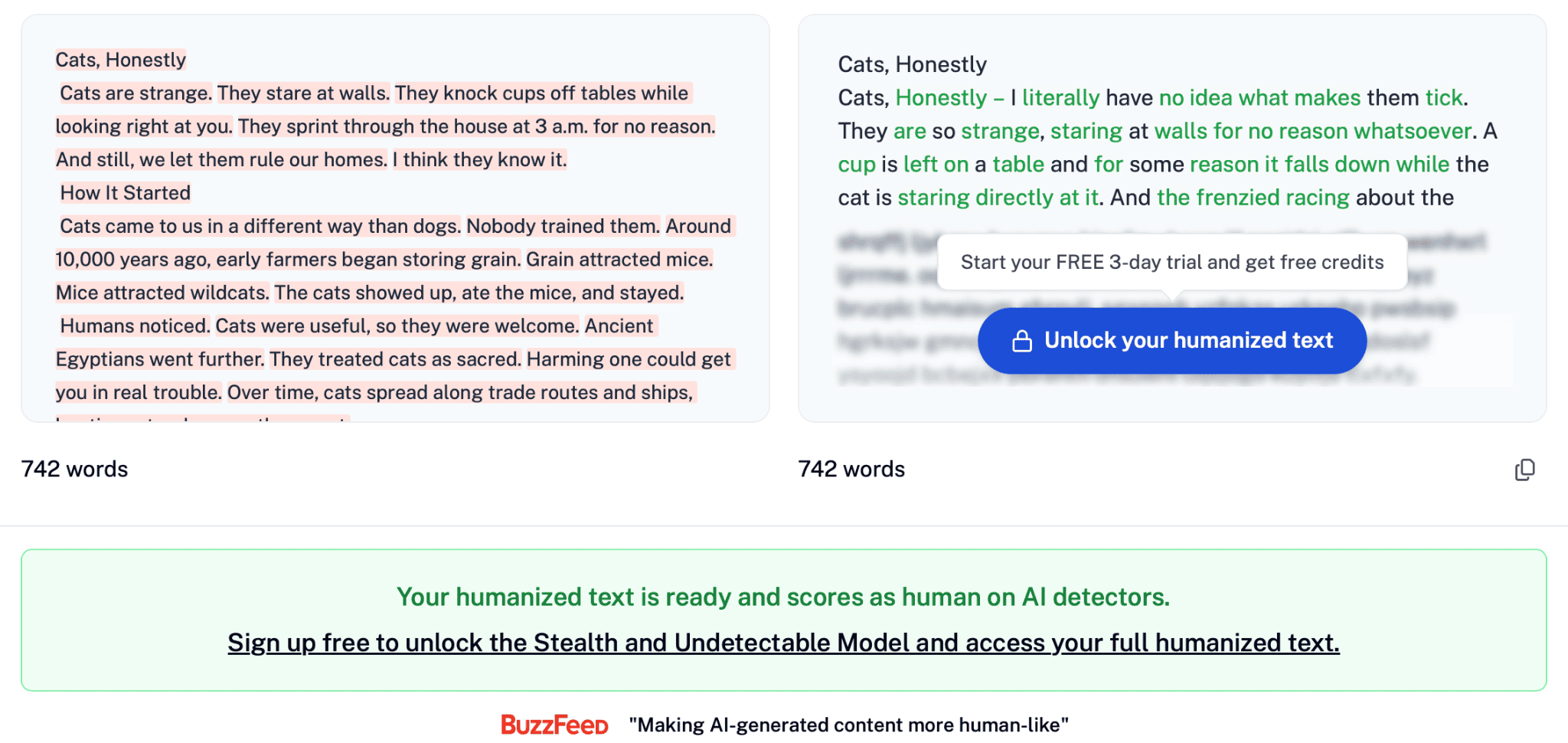
👎 Cons: no dedicated academic use or mode, no citation preservation, takes longer than other tools to humanize, free access humanizes only 300 words.
💰 Pricing: starts at $8/month for a 30,000-word pool, free access for 3 days with 300 words.
3. Undetectable AI — Best Raw Bypass Rate
If your only goal is dodging AI detection with the highest success rate, Undetectable AI wins on that single metric. In independent testing, it consistently posts the strongest overall bypass scores against GPTZero and Originality.ai among the tools on this list, though this comes at the cost of tone.
Key features:
- Targets multiple detectors simultaneously in one pass.
- Readability slider to balance aggression against fluency.
- Fast processing even on longer documents.
👍 Pros: the strongest detection bypass in this comparison, mature API, works well for general content.
👎 Cons: tone drifts conversational, so academic and technical writing often needs a cleanup pass afterward.
💰 Pricing: entry plans start around $9.99/month; a free trial is available.
4. StealthWriter — Best AI Humanizer for Transparent, Sentence-Level Edits
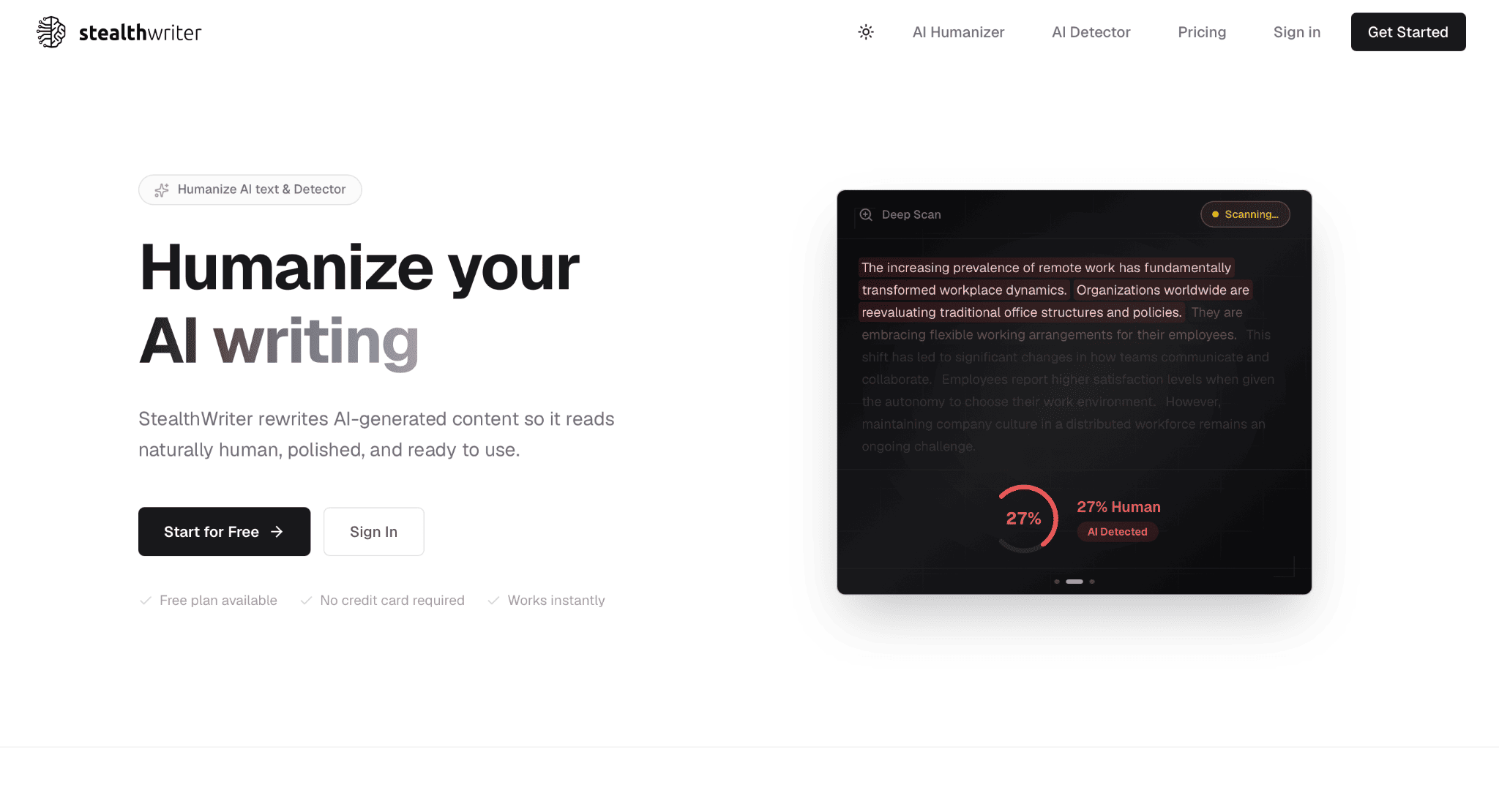
StealthWriter shows you exactly what changed at the sentence level with a color-coded view, which is more transparent than most competitors offer. The trade-off is the method: to fool detectors, it sometimes inserts deliberate imperfections into the prose.
Key features:
- Color-coded sentence-by-sentence comparison.
- Deep Scan mode that flags remaining AI signals before you export.
- Multiple rewrite intensity settings.
👍 Pros: you can see precisely what the tool touched, useful for review-heavy workflows.
👎 Cons: aggressive modes can hurt readability, and results against Turnitin have been inconsistent in independent tests; sign-up required.
💰 Pricing: plans start around $20/month.
5. QuillBot Humanizer — Best for Suite Users Who Already Paraphrase
If you already pay for QuillBot Premium for paraphrasing or grammar checking, the humanizer is effectively bundled in. It’s polished, but it’s built on a paraphrasing engine, and that architecture shows when you’re specifically trying to beat Turnitin, which flags heavily paraphrased AI text on its own.
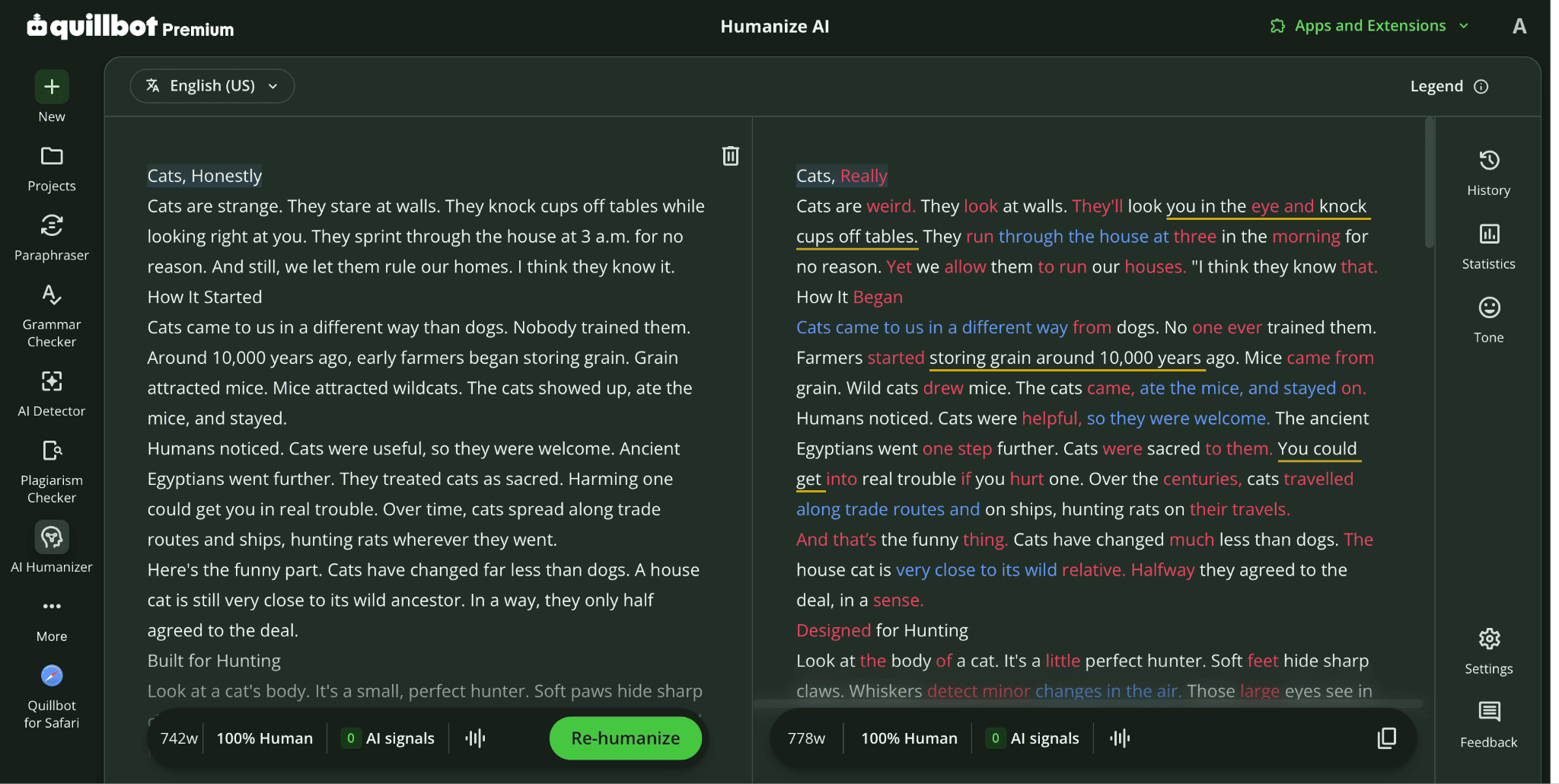
Humanized text by Quilbot on the AI check
Key features:
- Seven paraphrasing modes plus grammar and plagiarism checks
- Side-by-side original-versus-humanized comparison
- Chrome extension and Google Docs/Word integration
👍 Pros: convenient if you’re already in the ecosystem, clean interface, solid grammar quality, good price, paraphrases up to 125 words for free.
👎 Cons: weak against Turnitin or GPTZero specifically, and synonym-swapping can mangle technical terms.
💰 Pricing: Premium runs about $4.17/month.
6. WriteHuman — Best Budget Mid-Range Detector Pick
In my testing, WriteHuman didn’t dominate any single category, but it didn’t fail badly either. You’ll find it’s a solid, approachable option if you’re new to AI rewriters. It’s one of the more approachable options if you’re newer to this whole category and still searching for AI tools for a broader content workflow.
Key features:
- Standard and Enhanced rewrite modes.
- Usable free tier for short passages.
- Reasonable register retention for a general-purpose tool.
👍 Pros: friendly pricing, no major weaknesses, works well for everyday content.
👎 Cons: per-request word caps mean longer documents get processed in fragments. Do not show humanized text without registration.
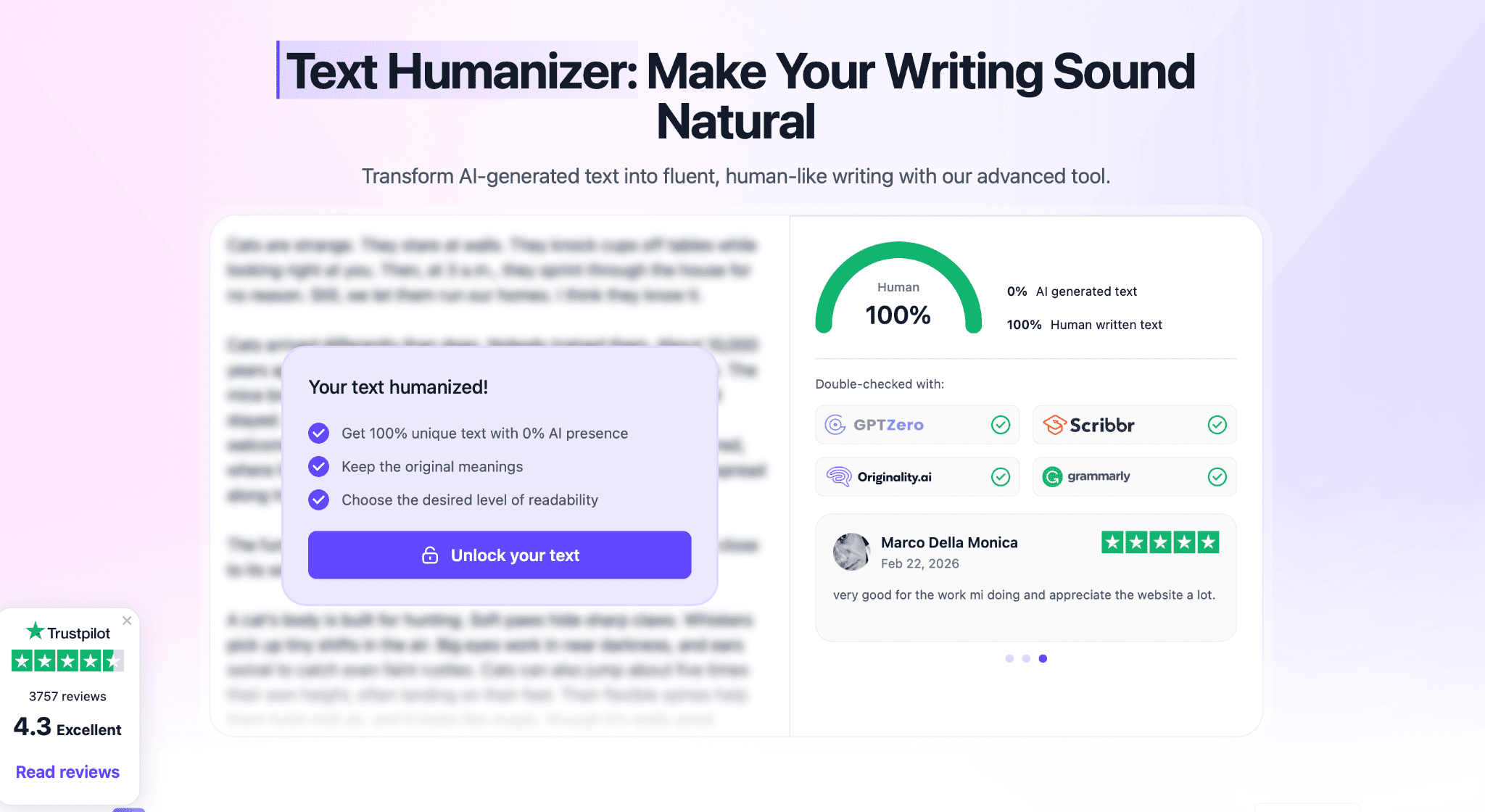
💰 Pricing: starts at $12/month.
7. Humbot — Best for Quick, Low-Cost Rewrites
Humbot is fast and cheap, which makes it fine for a quick paragraph fix but not much more. In side-by-side testing, it tends to rank near the bottom in output quality, occasionally introducing grammatical errors in its own rewrites.
Key features:
- Advanced mode with structural and phrase-level changes highlighted.
- Low entry price point.
- Simple, no-frills interface.
👍 Pros: cheap, fast, easy to use for one-off edits; AI checker shows the score of the humanized text right away.
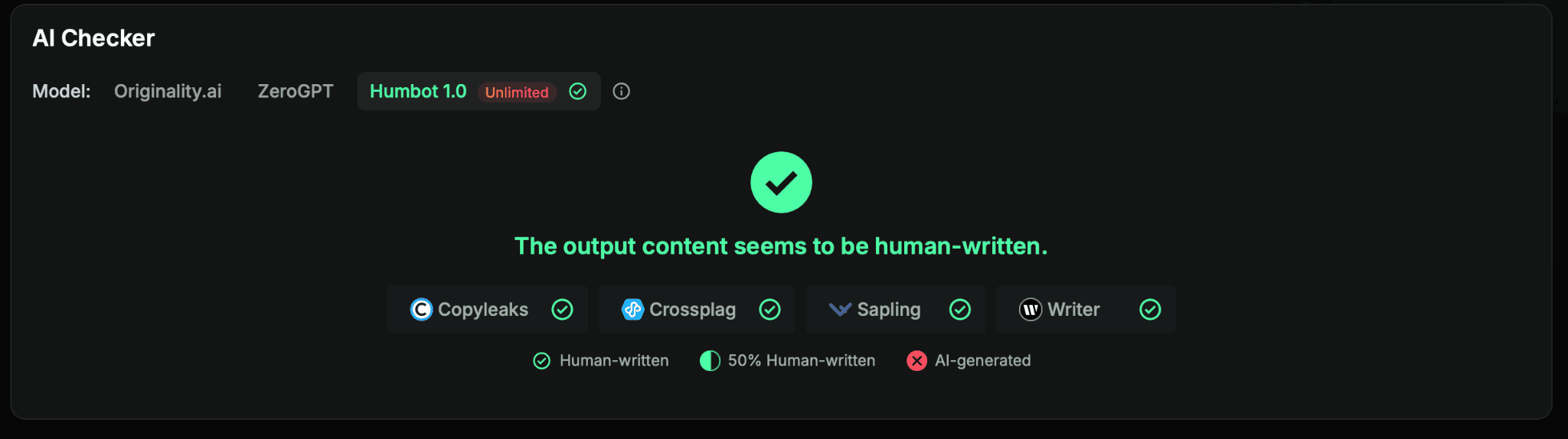
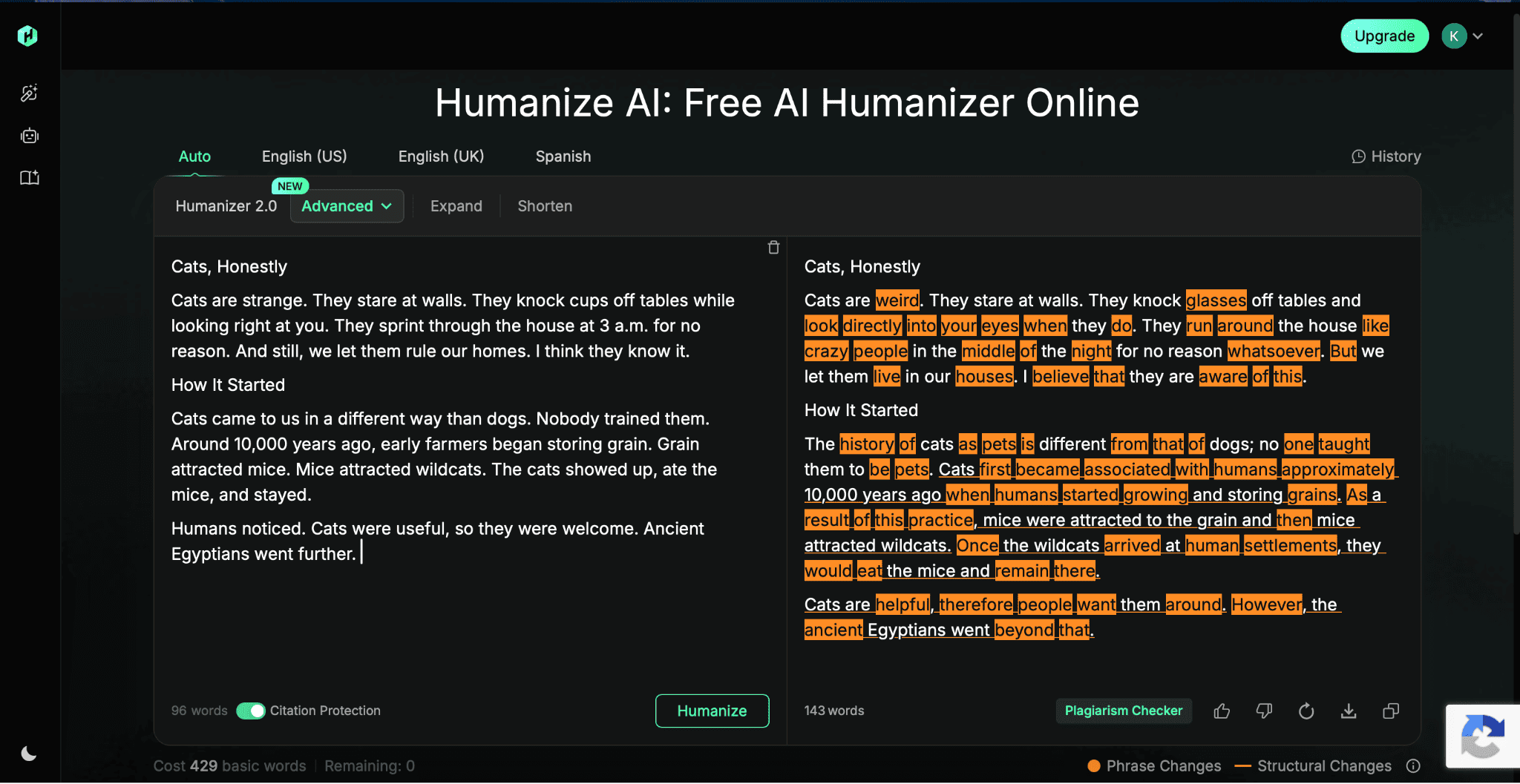
👎 Cons: quality issues on longer or technical passages; expect to proofread the output yourself; 100-word free limit.
💰 Pricing: starts at $7.99/month.
8. HIX Bypass — Best AI Humanizer for a Broader Content Workflow
HIX Bypass lives within a larger writing suite, which is genuinely useful if you want humanization as one step in a broader pipeline rather than as a standalone tool.
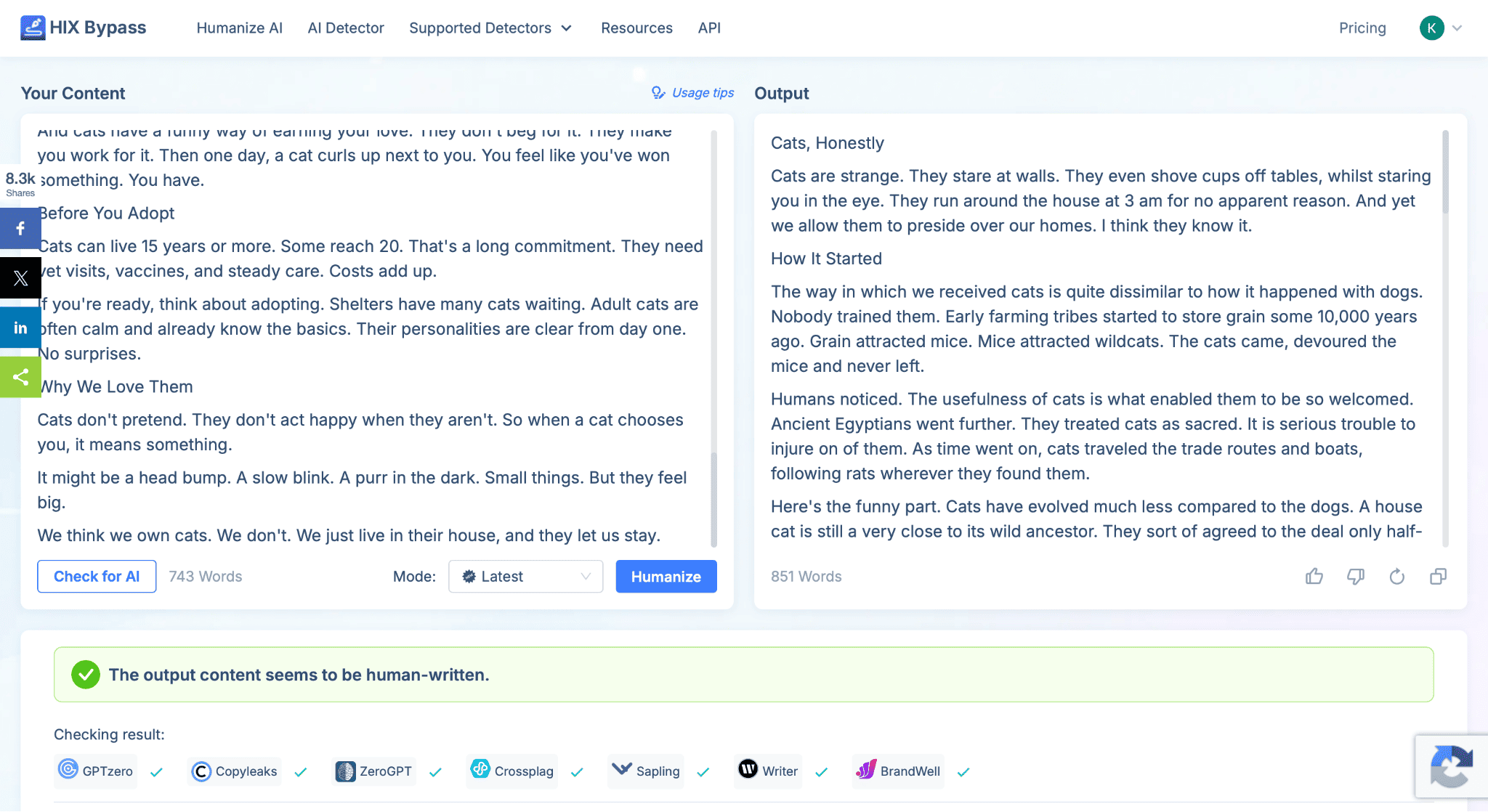
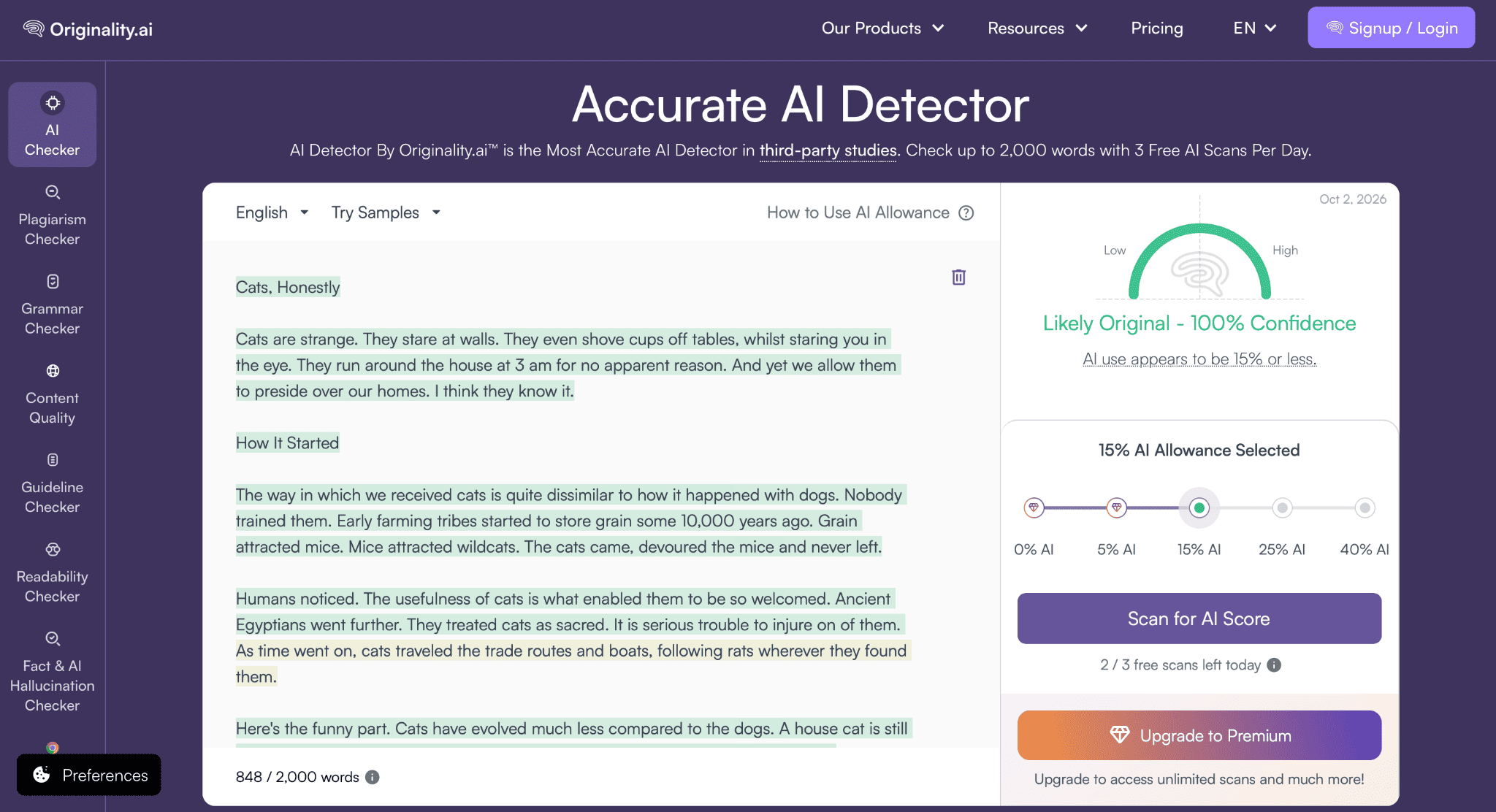
Humanized text by HIX Bypass checked in Originality.ai.
Key features:
- Four rewrite modes trading quality against bypass strength
- Bundled into HIX’s wider AI writing suite
- Reasonable bypass rate on general web content
👍 Pros: useful if you’re already in the HIX ecosystem, decent bypass performance.
👎 Cons: aggressive modes read like science journalism rather than natural prose; not built for academic tone.
💰 Pricing: basic plan around $9.99/month.
9. BypassGPT — Best Free Tier for Occasional Use
BypassGPT sells on price. The entry plan is cheap, and the free allowance is enough to test the tool properly before you commit to anything. It’s a fair starting point if you’re only humanizing text occasionally and don’t want to commit to a subscription yet. This tool is a lighter option alongside other free AI writing tools worth trying if budget is the main constraint.
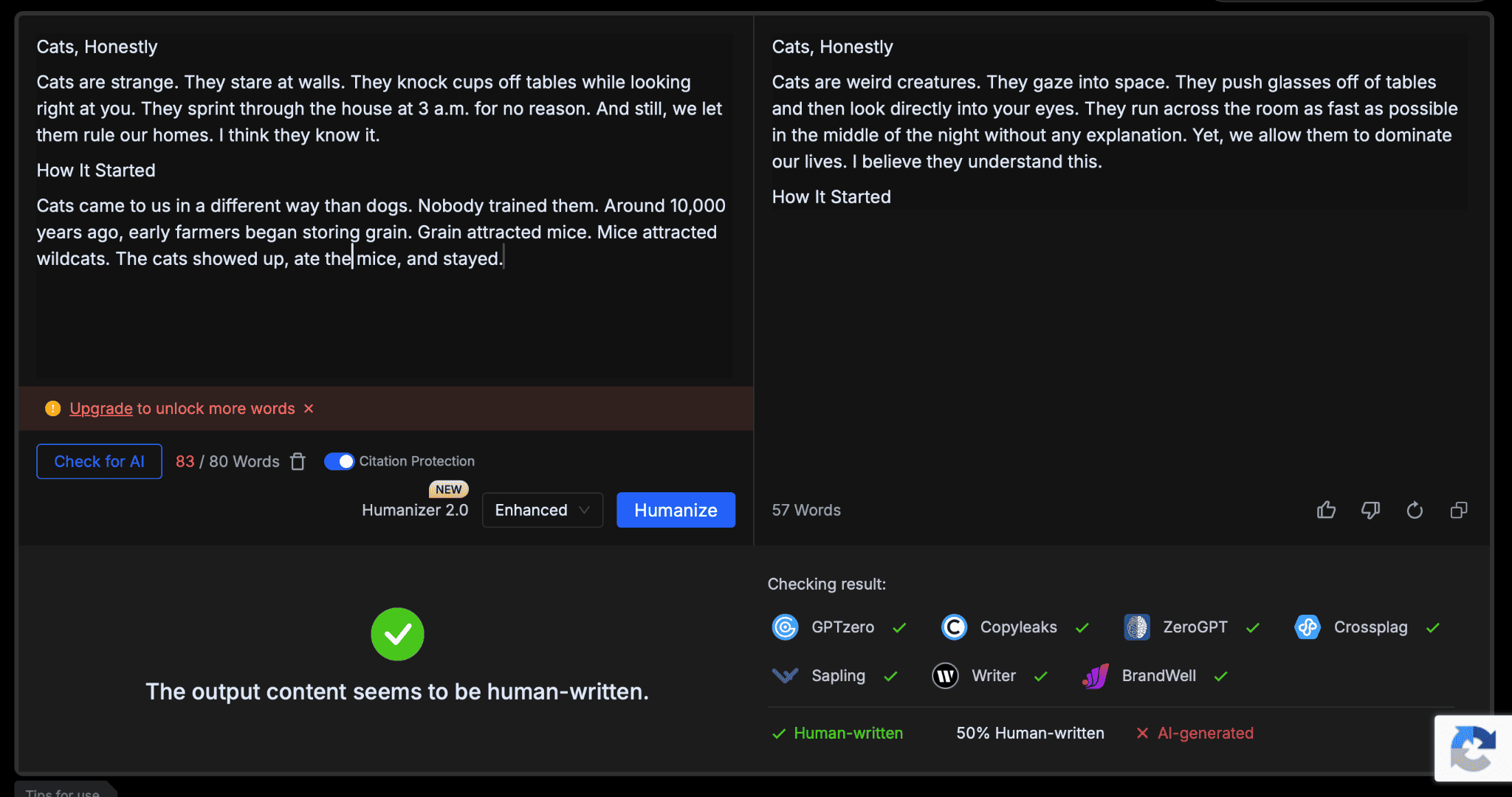
Key features:
- Moderate bypass performance on general text.
- Citation-protection toggle (though not fully style-aware).
- Small but usable free monthly pool.
👍 Pros: genuinely usable free tier, low entry cost.
👎 Cons: quality drops noticeably on technical or longer passages, with sign-up only 80 words available to be humanized.
💰 Pricing: starts at $8/month, with a free allowance.
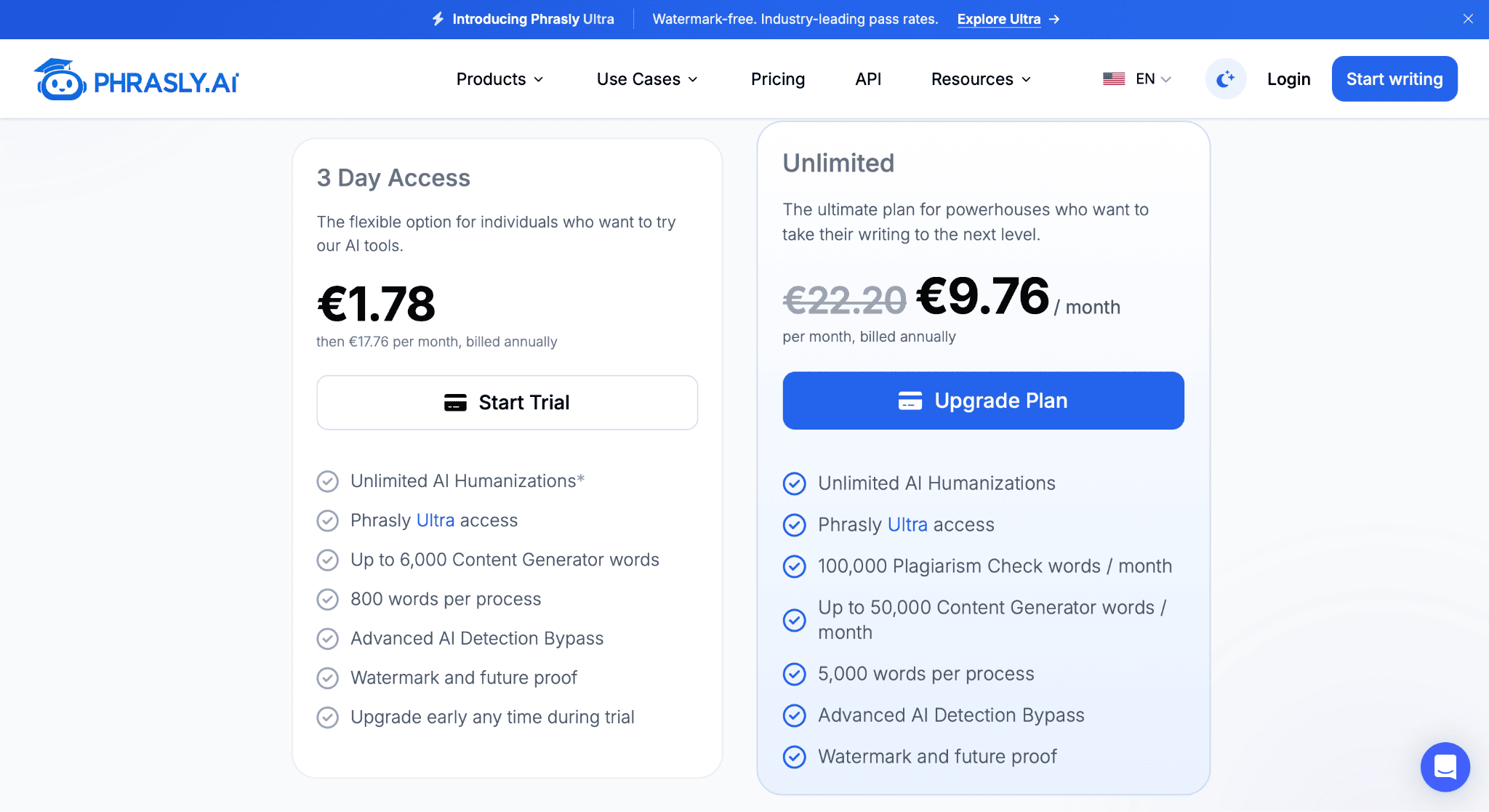
10. Phrasly — Best Unlimited-Run Budget Plan
What I love about Phrasly is its simplicity: you pay a flat fee and run as many texts as you need, without worrying about word counts. It has a better reputation than many tools in this space, with thousands of positive user reviews.
Key features:
- Unlimited plan with per-run caps rather than a monthly word pool.
- Different levels of rewriting.
- Advertised citation handling (though not fully style-aware).
👍 Pros: predictable pricing, no monthly anxiety about running out of words, clean interface.
👎 Cons: individual runs are capped, so long documents must be split up manually.
💰 Pricing: around $9.76/month, billed annually.
11. GPTHuman.ai — Best AI Text Humanizer for Blog Posts and Articles
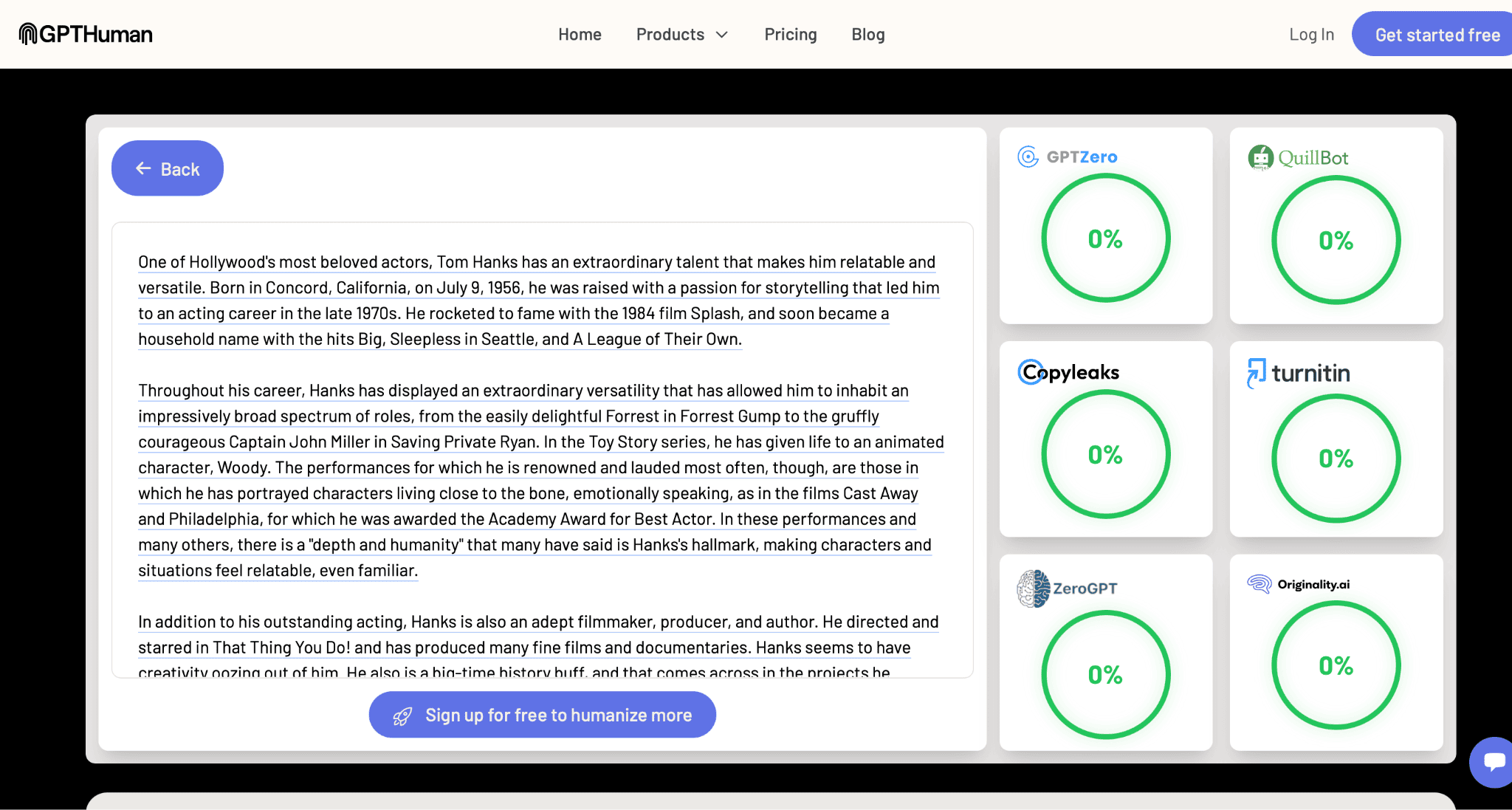
GPTHuman.ai leans hard into the “Stealth Score” concept — a number that tells you how likely your output is to slip past detectors before you even leave the tool. For blog-style content specifically, it’s one of the more consistent options I tested.
Key features:
- Stealth Score shown before you export.
- Tone and readability controls.
- “Re-humanize” option if the first pass isn’t strong enough.
👍 Pros: consistently bypassed the detectors I tested against, good for iterating on one piece.
👎 Cons: no free tries, sign-up required right away.
💰 Pricing: plans start at $8.25/month.
12. Grammarly Humanizer — Best for Rewriting in Your Own Voice
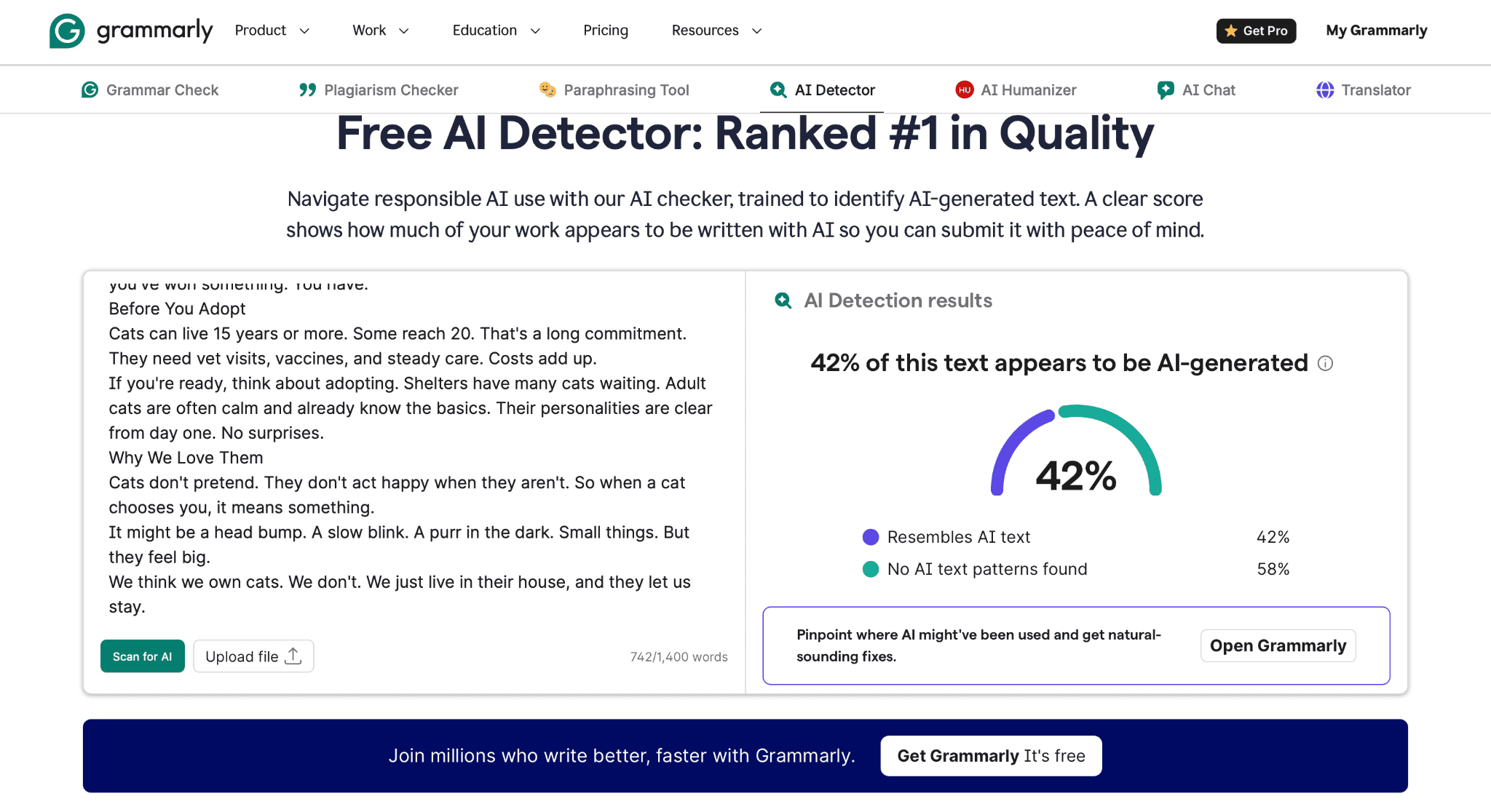
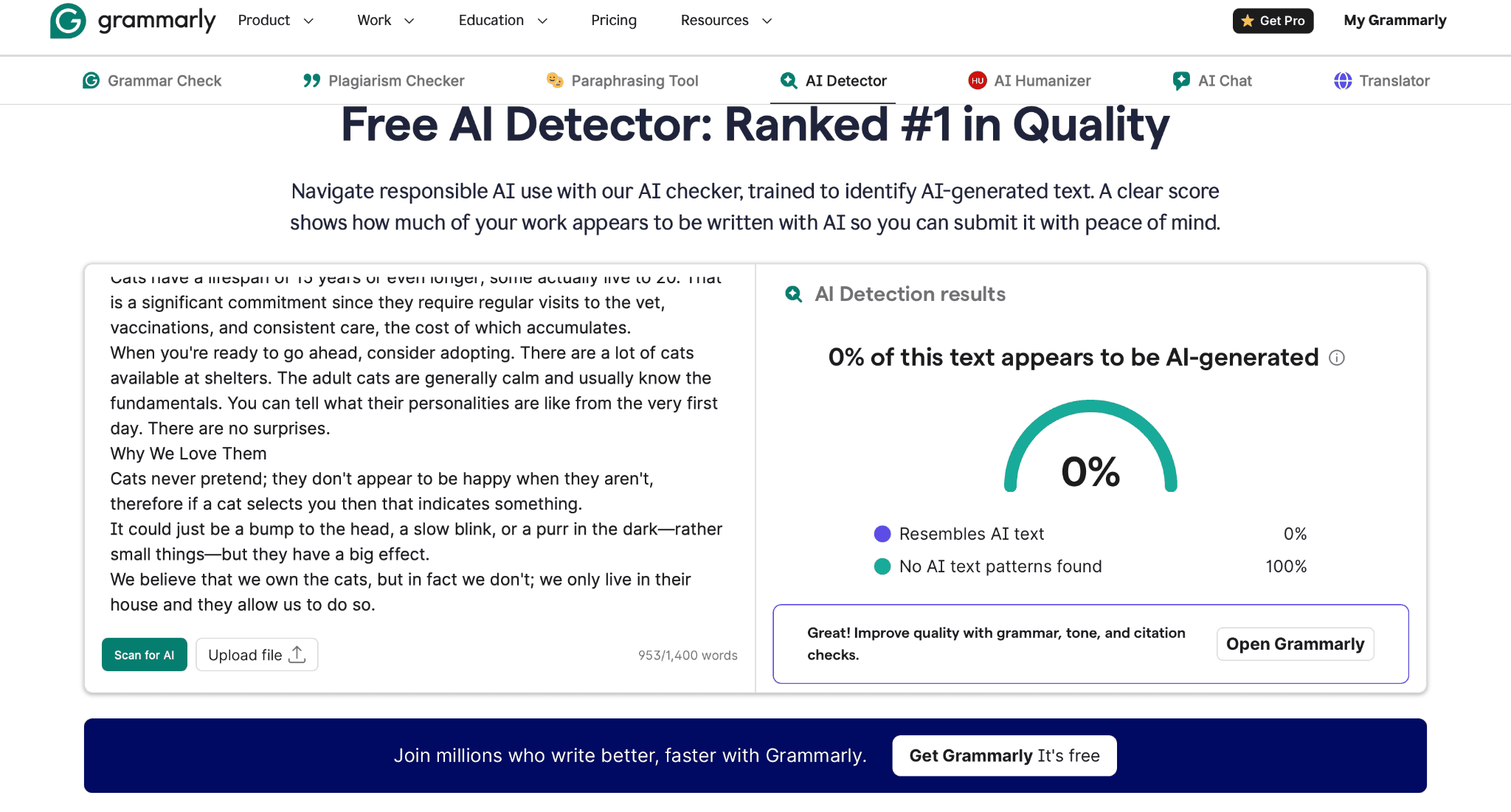
Grammarly takes a different angle entirely. Instead of running a finished AI draft through a filter, it helps you rewrite full paragraphs of your own draft so the final piece actually reflects how you write, with tone suggestions built into the same document you’re already working on.
Key features:
- Humanizer is paired with a Citation Finder, Plagiarism Checker, and AI Detector.
- Works inside Google Docs, Gmail, Word, Slack, and most writing surfaces.
- Free plan available; Pro starts at $12/month.
👍 Pros: keeps your actual voice intact, useful beyond just detector-dodging, works where you already write.
👎 Cons: less aggressive on pure detection bypass than dedicated humanizer tools.
💰 Pricing: Pro is around $12/member/month with 7 days free.
Which Humanizer Tools Fit Your Use Case?
Even though there are quite a few good options for AI humanizers, I don’t recommend choosing just any of them. You must choose one based on your writing goals and formats. Here is my short list of tips to help you choose the right tool!
- Academic writing: stick with a tool that flags citation handling explicitly, and always re-check the humanized text yourself! In academic writing, a dropped citation is worse than a flagged paragraph.
- Blog content and marketing copy: GetSolved, GPTHuman.ai, and Walter Writes all maintain a tone suitable for publishing with light editing.
- Tight budget, occasional use: BypassGPT or Phrasly’s free/unlimited tiers cover the basics without a subscription commitment.
- High-volume agency workflows: Walter Writes and HIX Bypass are built to be metered by volume rather than by the run.
📌 Quick tip: before you pick a tool based on a bypass percentage in someone’s marketing copy, know what makes AI-generated writing recognizable in the first place. Detectors and human readers don’t always flag the same things, and knowing the difference will save you a wasted subscription.
My Final Verdict
To sum up, if I had to recommend one AI humanizer without knowing your exact use case, I would always choose GetSolved AI Humanizer. This tool is the one that consistently kept my original argument intact, rather than just chasing a lower detection score. If pure bypass rate is your only priority, Undetectable AI wins that metric outright. And if you’re processing serious volume for a team, Walter Writes is worth the higher price tag.
Whatever you choose, don’t skip the last step: check whether the revised text reads naturally before you publish or submit anything. Truth be told, every tool on this list occasionally produces a sentence that technically passes a detector but still sounds off to a human reader. That’s why the last check should always be a human one!
Frequently Asked Questions
Is it legal to use an AI humanizer?
Yes, using a humanizer isn’t illegal. Whether it’s allowed depends on the context — check your school’s or employer’s policy on AI-assisted writing before submitting humanized text as fully your own work.
Do AI humanizers always bypass detectors like Turnitin and GPTZero?
No. Bypass rates vary by detector, by whether the original work was AI-generated, and by how aggressively the tool rewrites it. Test against the specific detector that matters to you rather than trusting a general marketing claim.
Will humanizing my text change what it actually says?
It can. Weaker tools swap words and restructure sentences in ways that shift meaning or lose technical terms. Always read the output before you use it — that’s the single biggest quality difference between the tools on this list.
Are free AI humanizers worth using?
For a quick, short passage, sure. For anything longer or higher-stakes, free tires tend to cap word counts fast enough that you’ll hit the wall mid-project. Paid plans generally produce cleaner output anyway.