
12 Best Free AI Writing Tools & AI Writers to Beat the Blank Page
Struggling to finally break through writer’s block, stop staring at that blank page, and come up with a decent first copy? Sure, there are a lot of questions concerning artificial intelligence, but let’s be honest: the right free AI writing tools can seriously speed up your workflow and handle a ton of the grunt work. Whether you’re working on marketing copy, academic writing, or creative writing, the right AI writing assistant at the right time can save not only your reputation but also your sanity.
But choosing one isn’t exactly a walk in the park – the market is absolutely flooded with tools right now. That’s why I spent four weeks of my content creation process testing out both famous and lesser-known AI chatbots. So, here are the results of my experiment – they should help you pick the perfect tool to help you write.
How I Searched for the Best AI Writing Tool
First off, I didn’t limit myself to drafting tools. I was looking for the best AI writing tools overall:
the ones that create text, structure paragraphs, set layouts, format, check grammar, detect AI-generated content and plagiarism, help with titles, organize logic, do research, and find sources and citations, no matter what kind of writing you’re doing.
I looked at popular Jacks-of-all-trades like ChatGPT and Claude; I worked with highly specialized apps too. Here is how I graded them: content quality (uniqueness, depth, and how human it feels), responsiveness (how well the tool handles prompts and your feedback), and exactly when the glitches start kicking in on the free plan.
All the AI Tools for Writers I’ve Tested Side-by-Side
After four weeks of testing and using each free tool for its intended purpose, here’s my takeaway:
| Tool | Best For | Key Feature | Rating |
|---|---|---|---|
| Gemini | Live Research | Google Search & 1-click Docs export | 4.4 / 5 |
| Claude | Natural Prose | Human-like writing & tone control | 4.6 / 5 |
| ChatGPT | All-in-One Brainstorming | Fast across all tasks | 4.7 / 5 |
| Grok | Real-Time Trends | Live X data & 2M token context | 4.3 / 5 |
| Brightlearn.ai | Long Books | 12k-word prompt limit | 4.5 / 5 |
| PlotForge.app | Novel Planning | Story bible for characters & plots | 4.3 / 5 |
| Ollama | Offline Privacy | 100% free on local gadget | 180.9k Stars on GitHub |
| Perplexity AI | Cited Fact-Checking | Real-time web search with links | 4.7 / 5 |
| Consensus | Academic Research | Searches 200M+ peer-reviewed papers | 4.5 / 5 |
| NotebookLM | Document Research | Answers based strictly on your files | 4.8 / 5 |
| Hemingway | Text Readability | Color-coded highlights to improve writing | 4.4 / 5 |
| Grammarly | Real-Time Proofreading | Universal extension for grammar & tone | 4.7 / 5 |
Universal Flagship AI Chatbots and Writers
The category includes those well-known chatbots you use for anything from picking a movie for the evening to figuring out the difference between a Malinois and a German Shepherd, or – yes, drafting a piece of text.
1. Gemini (by Google): Best for Real-Time Research & Ecosystem Integration
Gemini is a content generator for any topic you can imagine; it’s not a highly specialized tool. Its main selling point is that it’s integrated with Google’s search engine, i.e. it pulls real-time information from AI search. I was getting answers literally about things happening right now. Plus, the chat window is huge. Some of my chats went on for weeks of active AI research, and it kept up perfectly – honestly, kudos to it, making it one of the top AI writing tools for stories and long-form copy.
Key Features
- Pulls real-time data from Google’s search engine
- Processes long PDFs, academic papers, and super-layered prompts with a lot of attachments
- Sends drafts directly to Google Docs or Gmail
- Offers a powerful free tier with massive capacity
Pros and Cons
| Pros | Cons |
|---|---|
| Real-time info in answers
Highly responsive to prompts Excellent formatting Agile in long chats Native sharing |
Can produce raw AI responses with a generic tone
Might get glitchy in extremely long chats |
Ratings
G2 Rating: 4.4 / 5 stars (600+ reviews)
“Gemini helps me a lot with day-to-day tasks, from drafting properly formatted emails to understanding advanced documents. The AI is fast and almost always very accurate.”
2. Claude (by Anthropic): Best for Human-Like Prose & Nuanced Writing
Claude is often talked about as a “major league” AI technology – and honestly, I agree. More often than another tool like ChatGPT, this AI chatbot produces unique, non-cliché paragraphs and fresh ideas. It easily catches subtle undertones, and adapts to a unique brand voice, all with minimal post-editing. Plus, it has a very clean and pleasing interface, which, believe me, makes a huge difference for your writing experience overall.
Key Features
- Writes like an actual human: the level of logic and non-trivial thinking in its popular AI writing is impressively high – a stellar choice even among free and paid AI humanizer options.
- Absolute gold for keeping brand consistency, whether corporate or personal, because it perfectly captures the style and voice across any content marketing piece
- Digs deep into analysis and practically never drops details
Pros and Cons
| Pros | Cons |
|---|---|
| High content quality
Intuitive at selecting a unique brand voice Drafts don’t look like they were written by a robot |
Has extremely annoying token limits on the free tier
Lacks a native research tool |
Ratings
G2 Rating: 4.6 / 5 stars (700+ reviews)
“Claude is the best AI when it comes to text quality. Its writing flows naturally, feels more humane, and understands complex context much better than its alternatives.”
3. ChatGPT (OpenAI): Best for All-In-One Content Creation
The first chatbot of the kind for most, and still the absolute best for many. No surprise there: it set the trend and the standard (even if others have pushed it off its throne by now). But I’ll confess: it was my first too, and I couldn’t break the habit for a long time. And why would I? It’s handy, intuitive, simple, familiar, and pretty smart. It handles layered prompts and practically any request you throw at it (or it’ll steer you in the right direction), and it’s fast to generate content.
Key Features
- Builds absolutely anything – from blog outlines to complex articles or jokes, and easily flips its style into Shakespeare, Kafka, or your own.
- Listens closely to prompts; holds context like a pro throughout the writing process.
- Handles files, generates images, and runs web searches on the fly when you need to grab quick data.
Pros and Cons
| Pros | Cons |
|---|---|
| Lightning-fast generation
Flips easily into your signature style A total “universal soldier” – handles coding, planning, writing fiction, as well as technical and academic copy |
Delivers shallow answers unless you feed it a detailed prompt
Can hallucinate and straight-up lie if left unchecked |
Ratings
G2 Rating: 4.7 / 5 stars (3,000+ reviews)
“ChatGPT is my go-to for drafting and brainstorming. It turns messy ideas to a structured text in just seconds and saves me hours on daily writing tasks.”
4. Grok (xAI): Best for Real-Time Trends & Long-Context Writing

Elon Musk’s brainchild positions itself as a buddy that is radically different from its alternatives. It boasts a massive context window (2M tokens!) and never loses the plot. It can write stories, catch trending news, and process info lightning-fast. Well, very Elon of it.
Key Features
- Pulls live posts, hot news, and discussions straight from X
- Perfect for continuous work in one AI chat – whether with manuscripts, book chapters, or datasets
- Often drops slightly raw, but highly accurate answers without unnecessary corporate filtering
Pros and Cons
| Pros | Cons |
|---|---|
| Real-time access to data straight from X
Masterfully preserves context, a lifesaver when you’re writing over very long chats |
Answer accuracy’s not guaranteed
For its killer feature – access to X – you’ll have to integrate it with the platform itself |
Ratings
G2 Rating: 4.3 / 5 stars (15+ reviews)
“Grok makes research much easier by providing real-time information and surfacing what is trending right now without having to scroll endlessly.”
Specialized AI Assistants for Creative Writing and Authors
And in this category, I’ve rounded up more AI tools for content creation that are really good for actual writing. So, let’s see.
5. Brightlearn.ai: Best for Long-Form Prompting
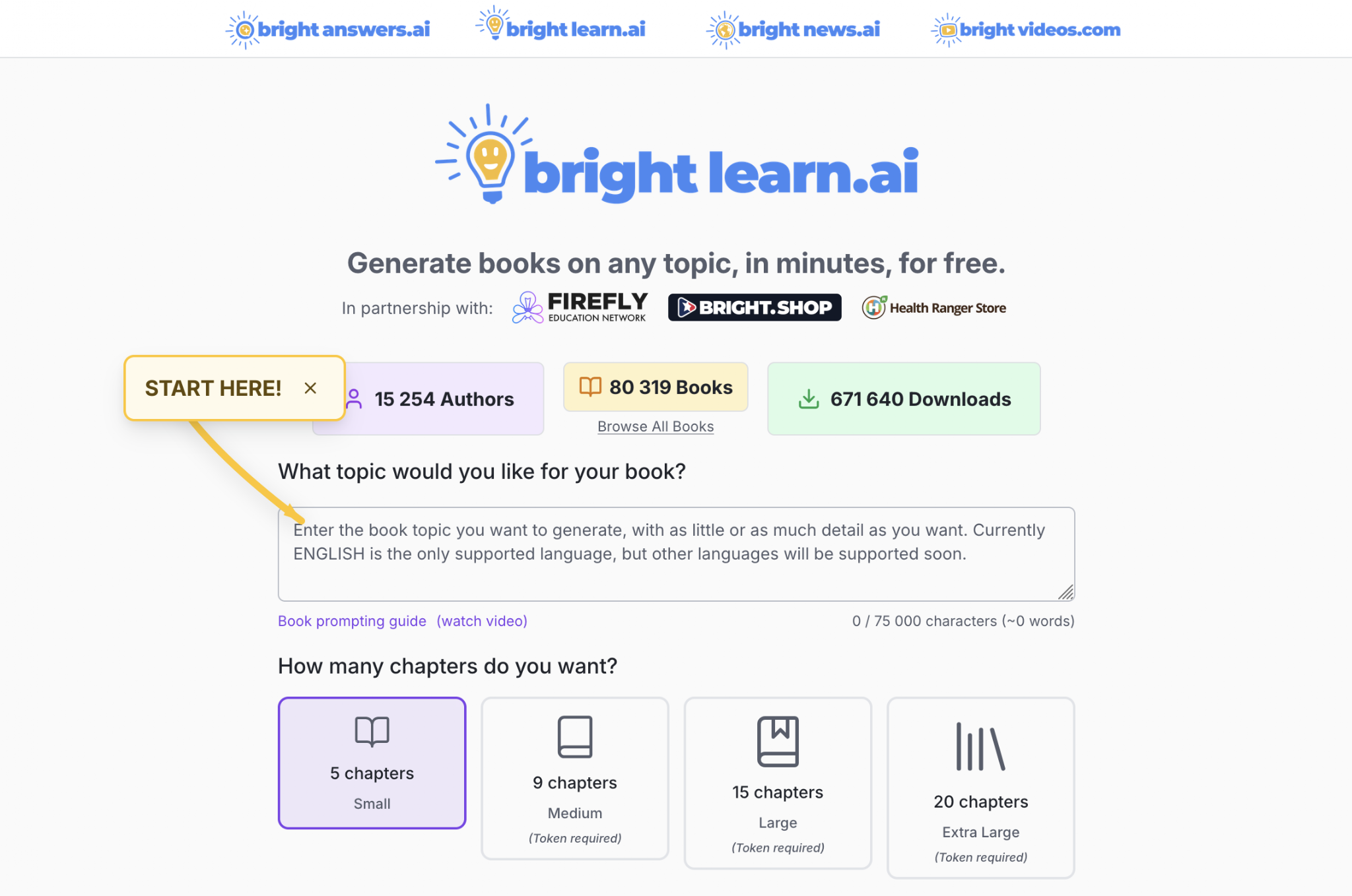
This one was built specifically for making long books or learning materials of various types. I fed it massive prompts – up to 12,000 words! You can truly let loose and map out all your plot points, descriptions of characters, style and tone guides.
Key Features
- A massive prompt limit of up to 75,000 characters
- You can easily upload your own files, manuscripts, and notes
- Turns raw outlines into books with flawless structure
Pros and Cons
| Pros | Cons |
|---|---|
| Absolutely no limits that stimulate a paid subscription
Handles massive prompts like a pro Flawless structuring |
No advanced formatting tools
Built specifically for long-form; performs so-so with short content |
Ratings
User Rating: 4.5 / 5 stars
“This engine allowed me to feed three full pages of detailed bullet-point prompts that guide the tool exactly how I wanted my manuscript written.”
6. PlotForge.app: Best for Fiction Planning
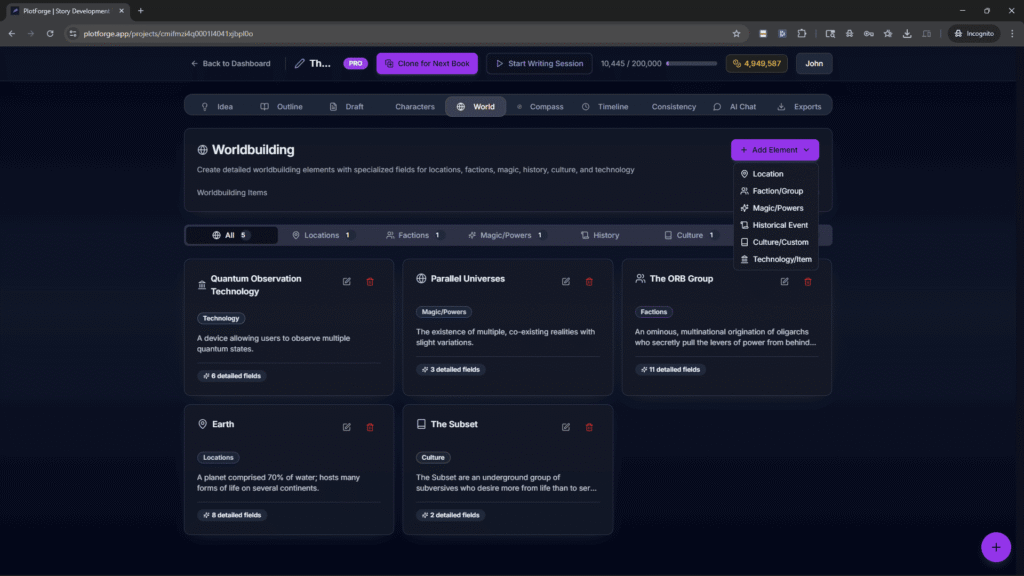
An incredible AI tool at the book planning stage. This is where you profile your personas and make up your world, and it even comes packed with outline templates. Basically, a ton of stuff to handle BEFORE the actual drafting, so you don’t have to research everything yourself.
Key Features
- A library for character profiles, lore, world-building, and settings
- Plot templates guide you literally chapter by chapter
- Token counts that refresh once a month on the basic tier
Pros and Cons
| Pros | Cons |
|---|---|
| One of the most specialized tools to write and structure outlines
Generates a pretty generous token pool that resets monthly |
You need to be a bit experienced; not exactly beginner-friendly
There are still caps on what you can do without a paid plan |
Ratings
G2 Rating: 4.3 / 5 stars
“PlotForge provides a workspace to streamline the novel writing process for a well-organized story development experience.”
7. Ollama (Llama): Best for Offline & Private Local Writing
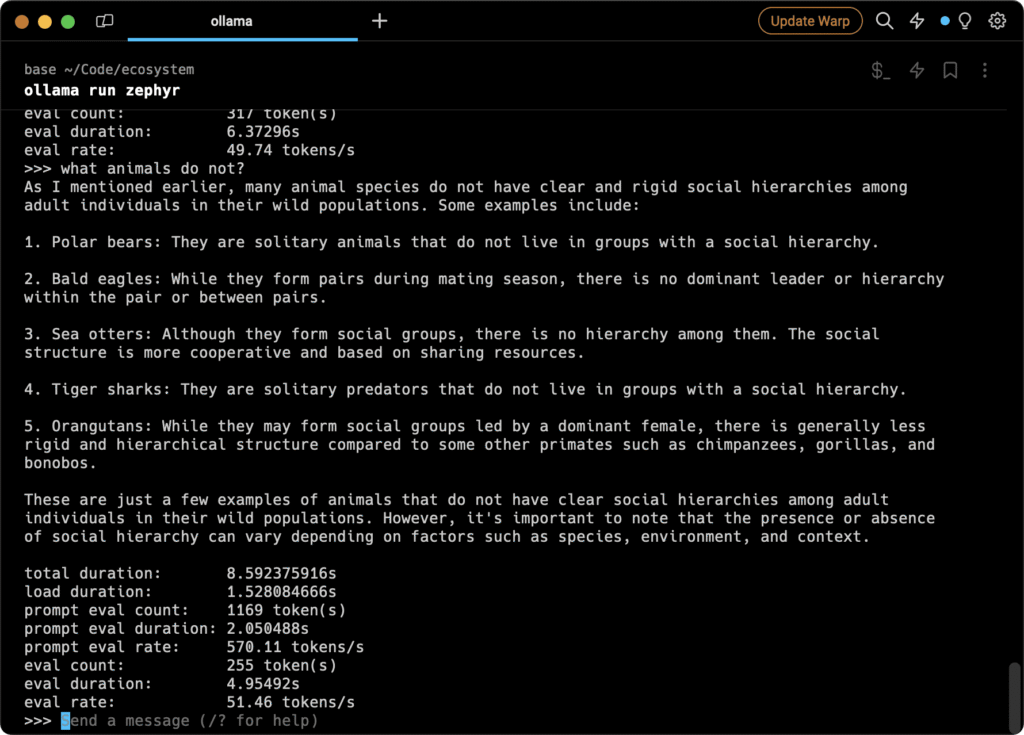
What made me love it: this AI software runs entirely locally on your computer instead of online. Total privacy, absolutely free, endless generation, and you never have to depend on external clouds.
Key Features
- Runs exclusively on your local device
- Lets you try out different AI modes tuned for creative writing
- Generates millions of words without token caps
Pros and Cons
| Pros | Cons |
|---|---|
| Completely private and free of charge
No word limits whatsoever |
Requires technical setup via the command line |
Ratings
GitHub Rating: 180.9k Stars
“Ollama makes running open-source LLMs locally effortless. It’s the ultimate setup for unlimited, private drafting without hitches or token fees.”
Research, Search Engines, and Finding Sources
Often, before drafting, you need to do your homework: look into your topic, find stats, or dig up sources. There are tools tailored exactly for this, and I tested them too.
8. Perplexity AI: Best for Real-Time Research
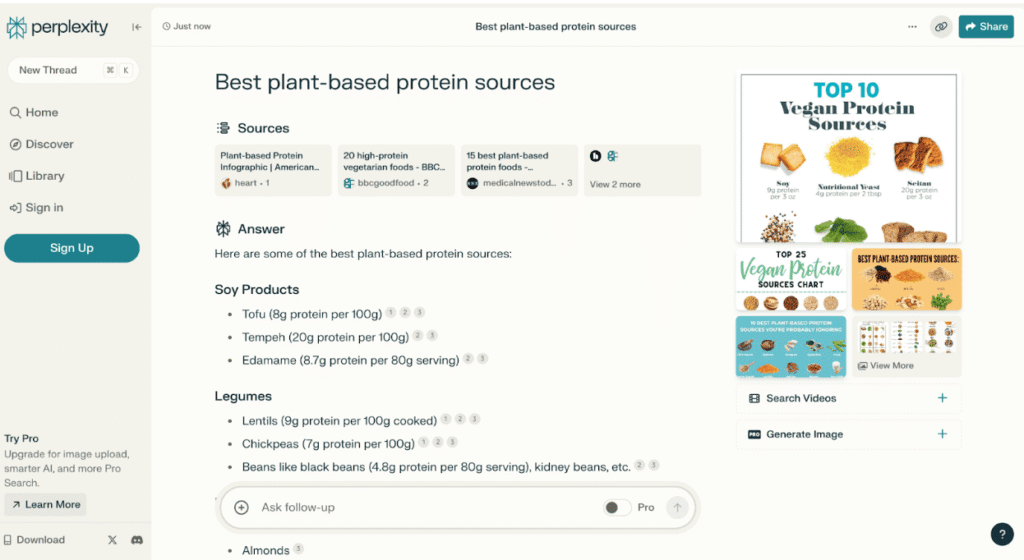
It looks a lot like conversational chatbots but works in a much more sophisticated way. It pulls a ton of web citations and links to answer your question. I often use this research tool for fact-checking and when I need to add more detail to a sentence.
Key Features
- Provides verified, clickable links
- Backs up with arguments where competing large language models just hallucinate
- Pulls insights from live web data only
Pros and Cons
| Pros | Cons |
|---|---|
| Up-to-date answers based on real materials
Works like a super-smart Google |
The free version limit resets every single day
Not built for fiction or creative writing |
Ratings
G2 Rating: 4.7 / 5 stars (100+ reviews)
“Perplexity completely changes research. It gathers scattered info across the web and cites sources instantly.”
9. Consensus: Best for Academic Research
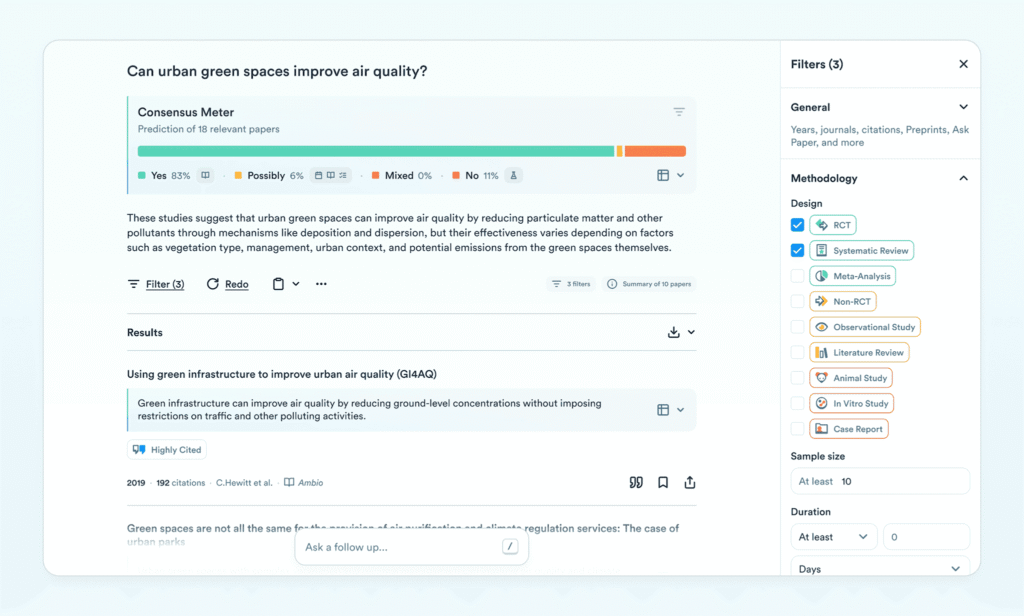
Absolutely stellar for AI academic writing. It doesn’t make things up; instead, it searches through 200M+ peer-reviewed papers. I asked it tough questions and got scientifically backed answers instantly!
Key Features
- Analyzes topic-specific research
- Synthesizes answers by pulling from multiple papers at once
Pros and Cons
| Pros | Cons |
|---|---|
| Zero web trash – only uses highly relevant papers
Analyzes massive academic paper database |
Completely useless for any other writing tasks
Its summaries sometimes oversimplify ideas |
Ratings
User Rating: 4.5 / 5 stars
“Consensus cut my literature review time in half. It pinpoints relevant peer-reviewed studies and answers research queries instantly.”
Content Creation with Personal Materials and Notes
For one of my projects, I already had a mountain of notes and just needed some help organizing the whole mess.
10. Google NotebookLM: Best for Document-Based Research & Audio Summaries
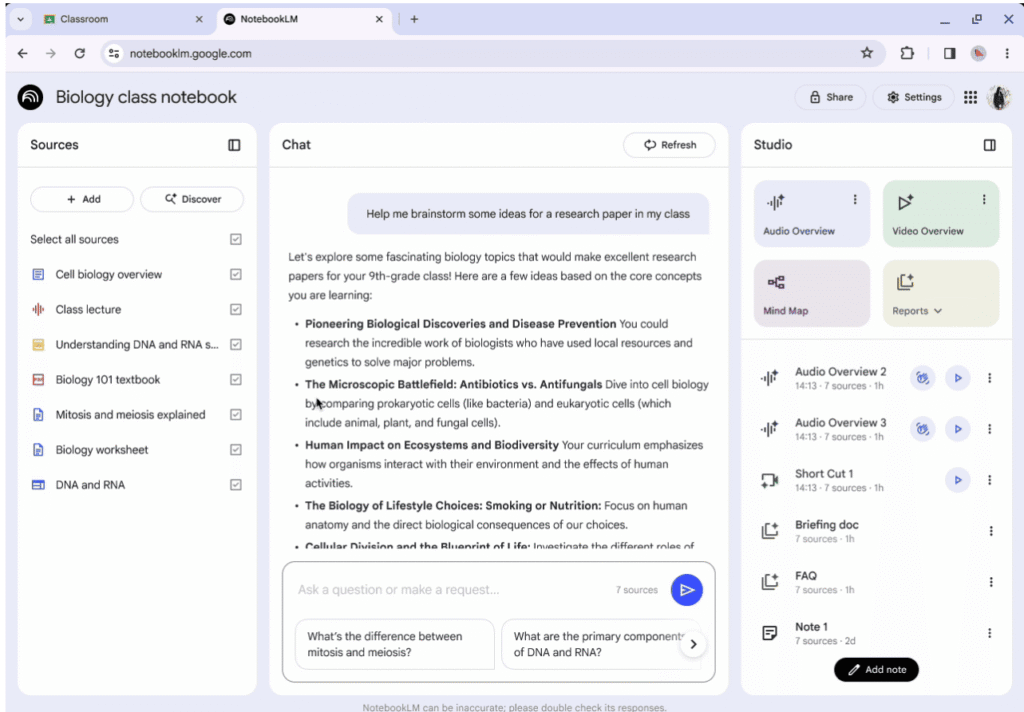
A super handy software if you already have your own material. It synthesizes your notes, generates summaries, and structures everything beautifully. But if you need to step outside the bounds of your own docs, you’ll need to jump to something else – like, to write with Getsolved’s AI assistant or hunt down external arguments with Perplexity.
Key Features
- Pulls answers strictly from your uploaded materials
- Backs up your ideas with direct arguments from your documents
- Converts your text notes into audio podcasts
Pros and Cons
| Pros | Cons |
|---|---|
| Doesn’t hallucinate because it sticks to your data
Integrated with Google Drive |
Zero search for info from the outside web
Formatting options are very basic |
Ratings
User Rating: 4.8 / 5 stars
“NotebookLM makes digesting hundreds of pages of research seamless by anchoring every answer in my uploaded documents.”
Rewriting and Improving Your Texts
There’re also separate tools built specifically to level up what you’ve already written. They are incredibly handy when you’re 100% confident in your ideas but not quite sure about the execution – like whether you’re phrasing thoughts clearly, making a million mistakes, or if you need to make long sentences more concise or fix all those comma placements during writing and editing.
11. Hemingway Editor: Best Writing Assistance for Readability
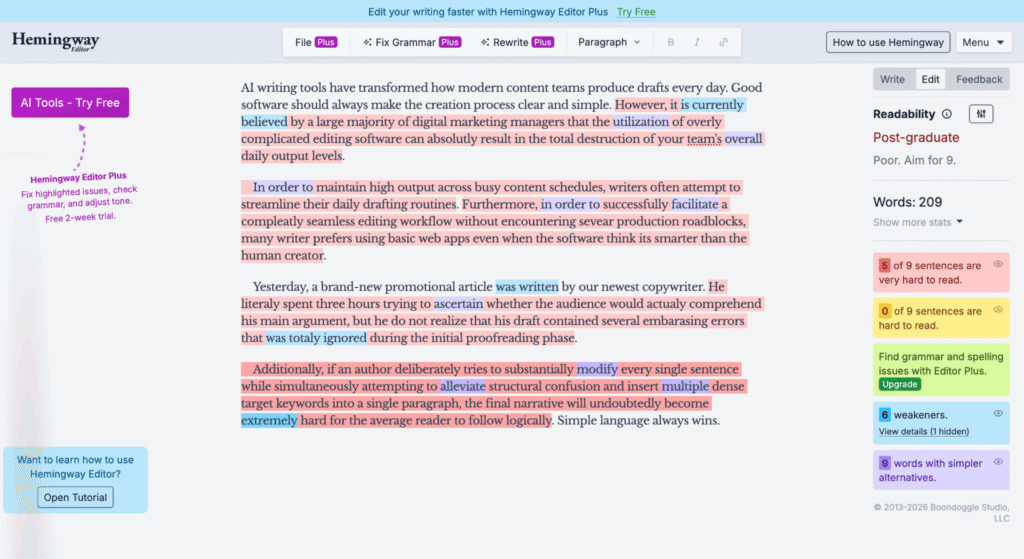
Are the insights you discovered phrased optimally? Hemingway app is one of those tools that help you double-check. I love it because it slows me down when I get ahead of myself and type out multi-line sentences (I’m sure you do that too!). It’s perfect if you want to polish your wording.
Key Features
- Measures the readability score
- Pinpoints exactly where you need to go in and create content that’s easy to read
- Tracks multiple problematic categories
Pros and Cons
| Pros | Cons |
|---|---|
| Maps out every spot that trips up readers
Color-coded text makes styling super easy |
Zero auto-corrections – rewrite it yourself
Sometimes it is just too picky |
Ratings
G2 Rating: 4.4 / 5 stars (50+ reviews)
“Hemingway is essential for chopping off undesired jargon and making writing crisp, clear, and readable.”
12. Grammarly: Best for Editing and Polish
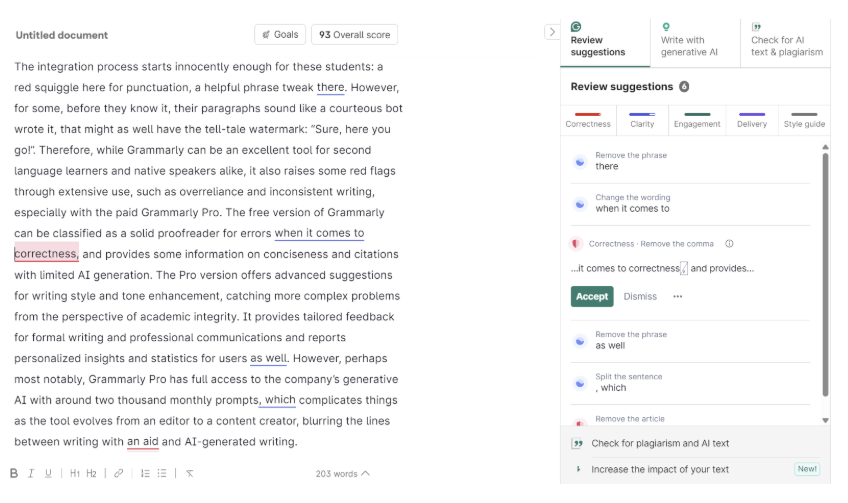
Mistakes blur even the best concepts. Whether you doubt your grammar or feel totally confident, Grammarly is a lifesaver. It shows you exactly where you’re wordy, where a comma dropped, or where your tone feels off.
Key Features
- Punctuation, typos, and grammar checker
- Suggests how to simplify complex sentences
- Works everywhere via browser extension (Docs, Gmail, social media)
Pros and Cons
| Pros | Cons |
|---|---|
| Real-time proofreading
Massive free plan |
Its suggestions aren’t always justified
Hits limits on its AI plan |
Ratings
G2 Rating: 4.7 / 5 stars (8,000+ reviews)
“Grammarly’s an indispensable writing partner. It catches subtle mistakes real-time and helps polish my tone before I hit send.”
So, My Final Takeaway on AI Tools for Writers
Every single tool I tested does its own job best. The trick’s to find and grab the exact tool you need for the task at hand so you don’t waste time and end up frustrated.
For me, Claude and Gemini may still be the ultimate all-rounders, Perplexity’s my go-to for research, and then I usually polish everything up in Hemingway. But that’s not a rule! Your workflow and tasks might look completely different, so go ahead – you already have the master guidelines.